You can renew an eligible hosting plan from the Account Panel.
- Sign in and open Hosting Plans.
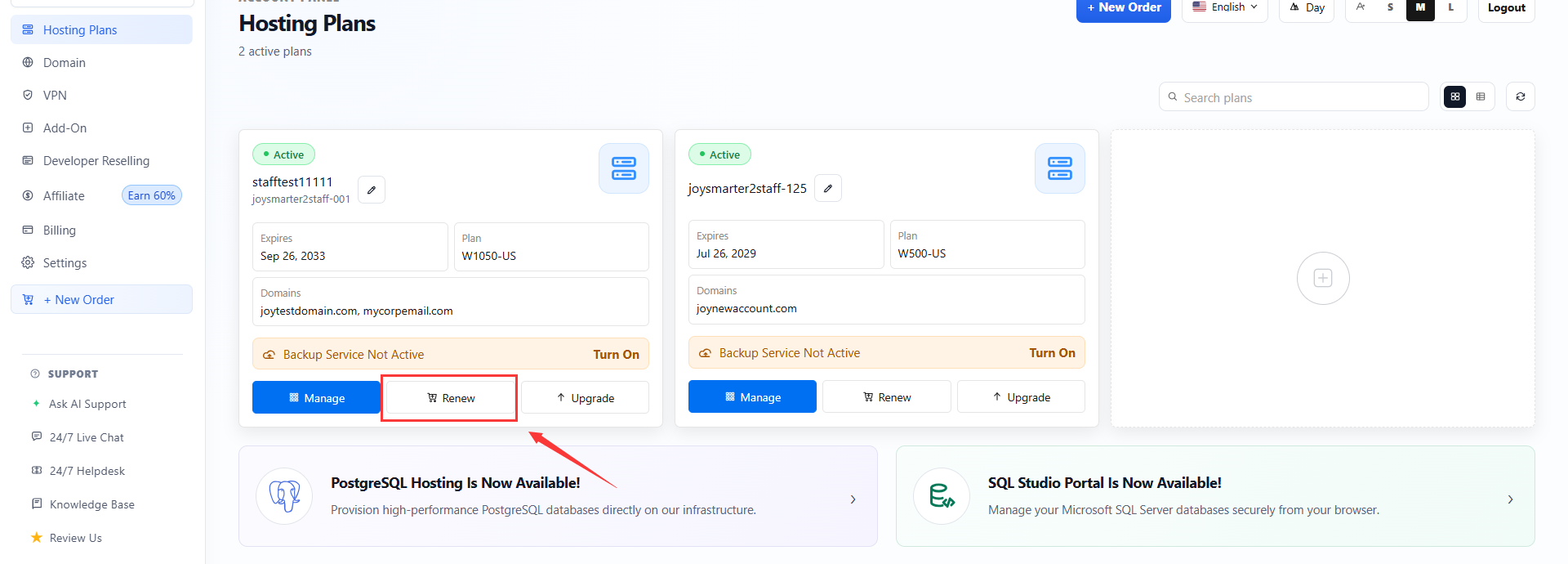
- Click the renew action button beside the target hosting plan. You can also open Billing > Renewal Notice when a renewal notice is available.
- Choose the renewal term.
- Review the price, apply an eligible coupon if needed, and continue to checkout.
Renewal actions appear only when the hosting plan is within its renewal window. If an expired plan is not available for renewal, contact support through the Account Panel help desk.
Article ID: 2345, Created: August 2 at 6:18 AM, Modified: August 17 at 7:53 AM