Usually, we have backup schedule on server for backup customers' database. The db server will take and save 2 backup for db weekly. However, our backup is for service emergency resume usage, and we could not guarantee that backup always contain the data you need.Thus, we provide the add-on "CustomBackup".
With this add-on, you can:
- Specific a time to back up your database.
- The database backup file will be sent to your account db folder, and we will keep backup files within one week.
- You can download the backup to your local via ftp any time time.
Note that one CustomBackup add-on is for one db. For example, you will need to order 2 CustomBackup add-on if you want to backup 2 databases.
If you have many databases, you can order CustomBackup6 which is for 6 databases at the same time.
How to order CustomBackup?
To order this add-on, please go to account > Add-Ons, search "CustomBackup ", select target hosting package you want to apply to and click "+" beside it .
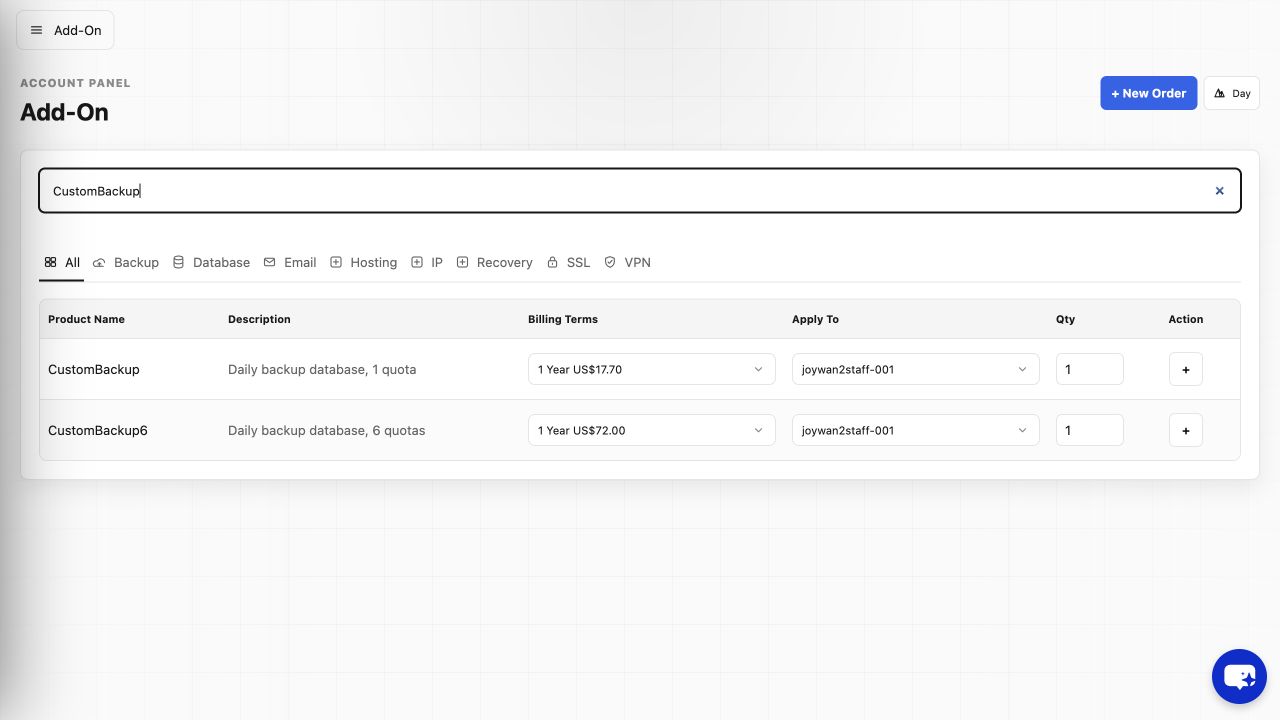
How to apply the custombackup you purchased to your database?
You can login to your hosting control panel-->databases-->mssql/mysql, click "+Advanced backup" button to create custombackup for your target database.
Article ID: 2367, Created: August 2 at 6:26 AM, Modified: August 4 at 2:23 AM