Automatic backup for Cloud VPS protects against accidental deletion, failed software updates, and other data-loss events. Backups run in the background after the add-on is activated.
Key benefits
- Daily incremental backups: Changes are backed up automatically each day.
- 10-day retention: Up to 10 restore points are retained.
- Off-server storage: Backups are stored separately from the VPS.
- Faster recovery: A retained backup can be restored when recovery is required.
How automatic backup works
- After activation, the service creates an initial full backup during the standard backup window.
- Daily incremental backups record subsequent changes.
- The service retains up to 10 restore points and removes the oldest one when necessary.
Important: Restoring a backup overwrites the current VPS data, and the VPS remains temporarily unavailable while restoration is in progress.
Get started
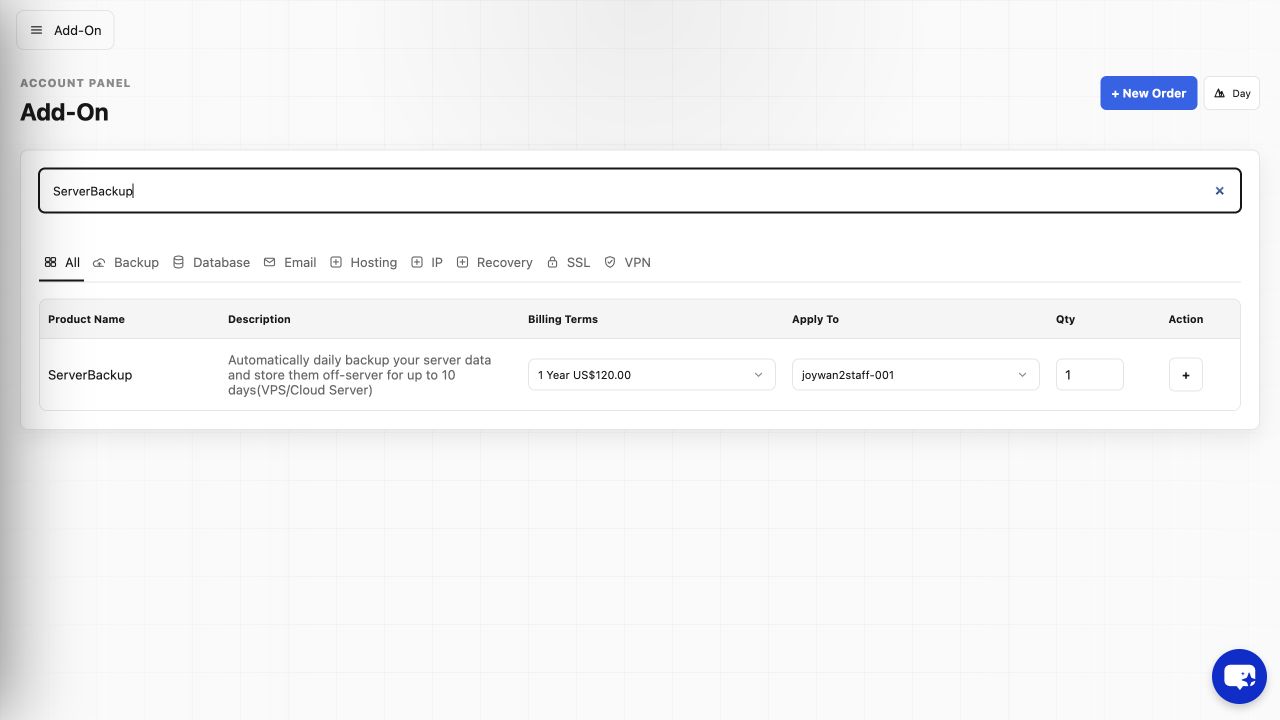
You can purchase automatic backup with a new Cloud VPS order or add it to an existing Cloud VPS from its Control Panel--> Add-On.
When you need to restore a backup, create a support ticket from the Account Panel and identify the required restore point.
Article ID: 2370, Created: August 2 at 6:26 AM, Modified: August 4 at 2:23 AM