You can create a ZIP archive of your website files and download it from File Manager.
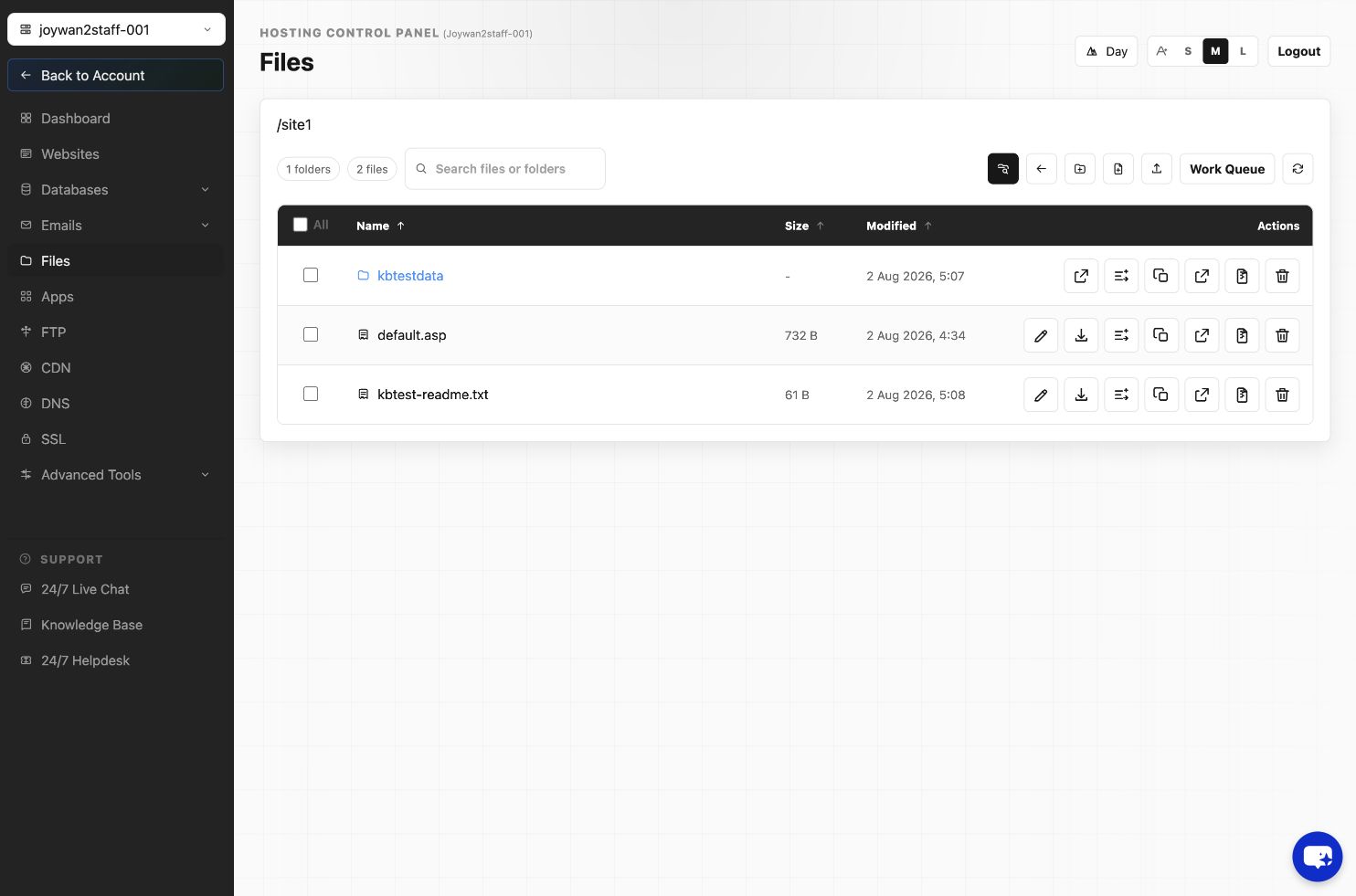
- Sign in to the Hosting Control Panel and open Files.
- Browse to the website folder.
- Select the files and folders you want to include, then select Zip.
- Enter an archive name and submit the request.
- Open Work Queue to monitor the archive operation.
- When the ZIP file appears in File Manager, select Download. You can also download it through FTP.
Keep an additional backup outside the hosting account so that it remains available if the account or website becomes inaccessible.
Article ID: 2371, Created: August 2 at 6:53 AM, Modified: August 4 at 2:26 AM