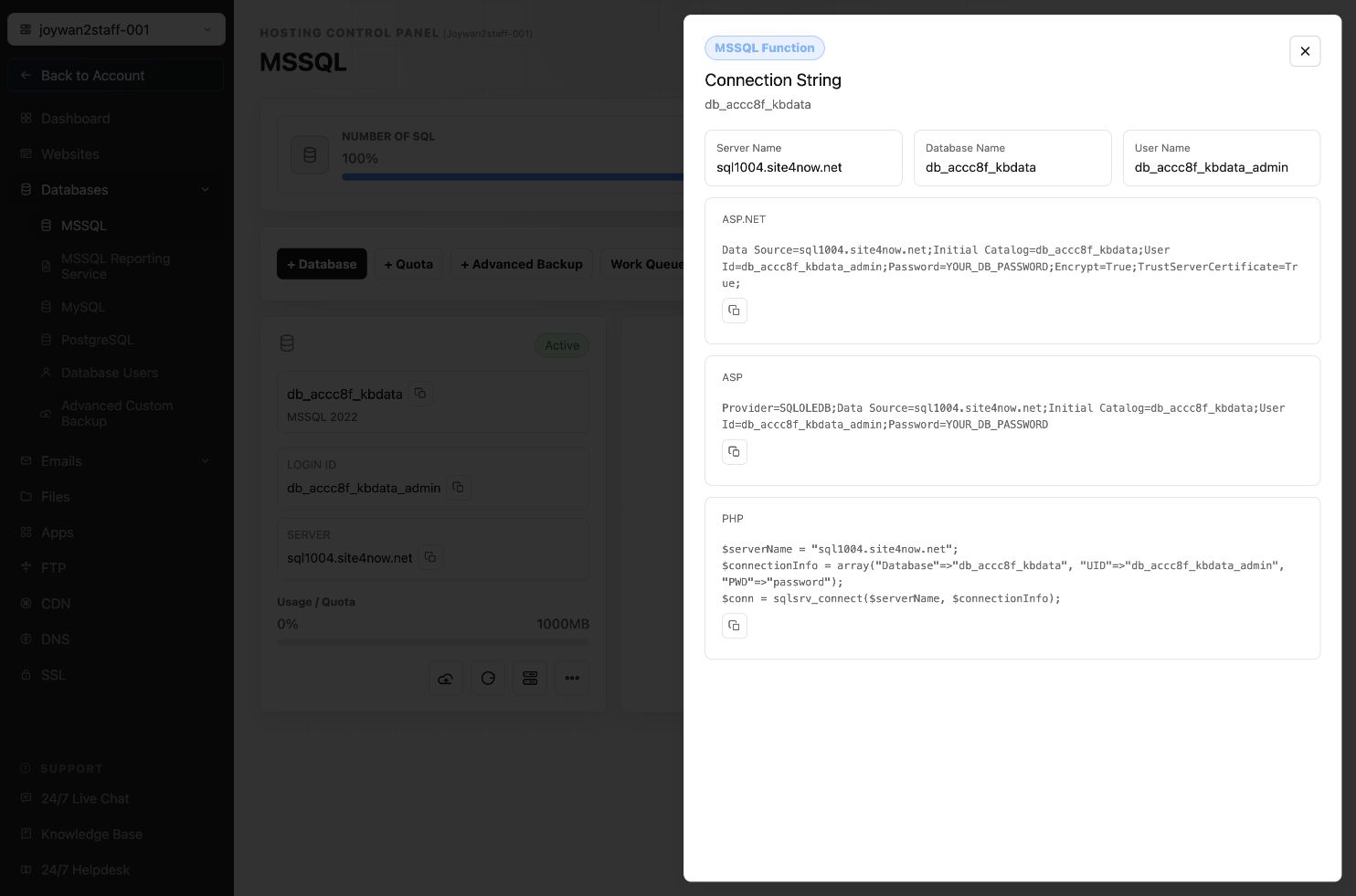
To view sample connection strings for an MSSQL database:
- Sign in to the Hosting Control Panel and open Databases > MSSQL.
- Locate the database and select Connection String.
- Copy the sample for ASP.NET, ASP, or PHP.
- Replace the password placeholder with the database password before using the connection string.
Treat database credentials as sensitive information and do not commit them to a public source-code repository.
Article ID: 2374, Created: August 2 at 6:54 AM, Modified: August 4 at 2:27 AM