Deleting an MSSQL database removes it from the active database list. Back up any required data before continuing.
- Sign in to the Hosting Control Panel and open Databases > MSSQL.
- Locate the database and select More Function.
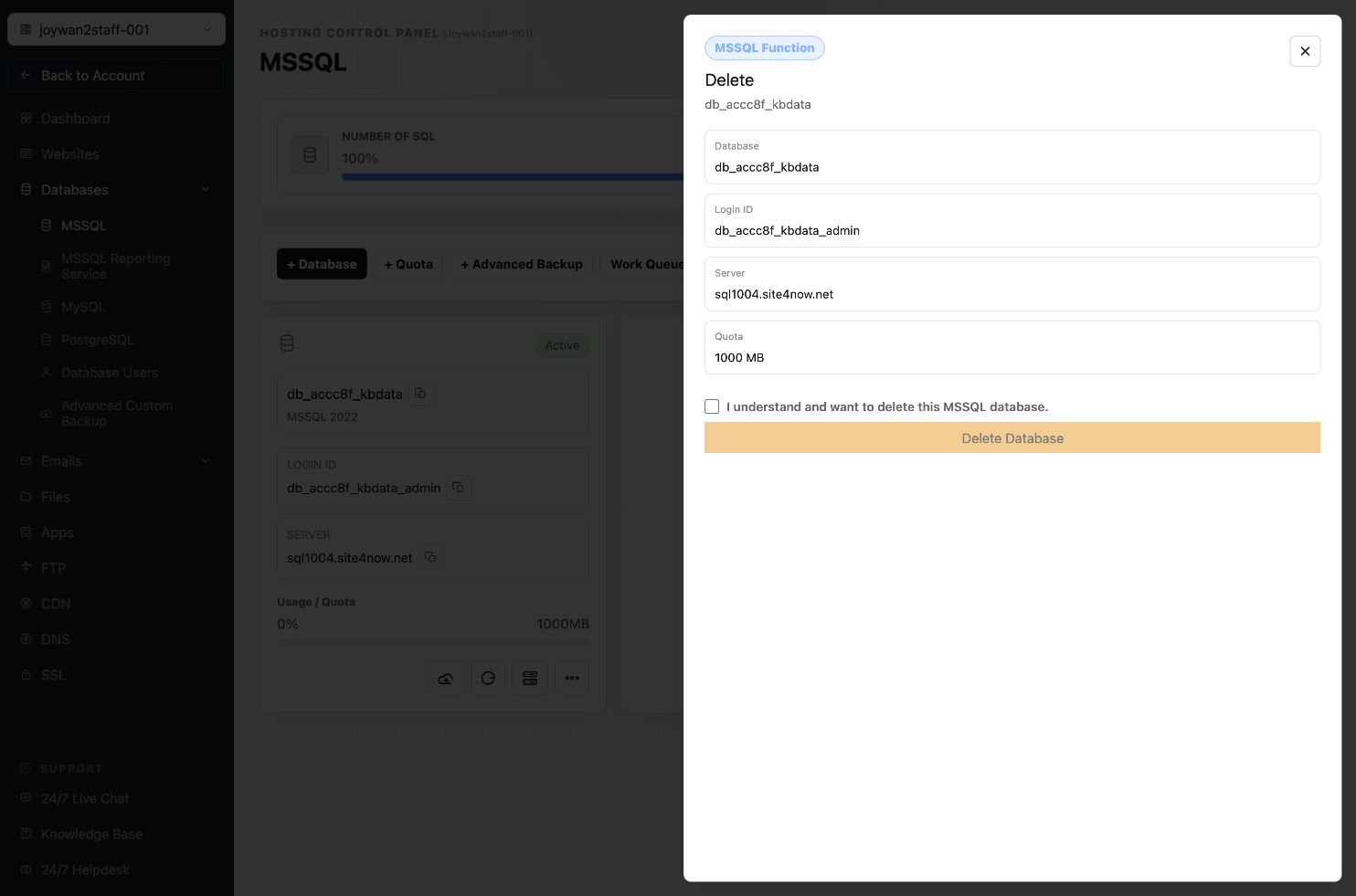
- Select Delete.
- Review the database information carefully.
- Select the confirmation checkbox, then select Delete Database.
Do not delete a database until you have confirmed that no website or application still depends on it.
Article ID: 2378, Created: August 2 at 6:55 AM, Modified: August 4 at 2:26 AM