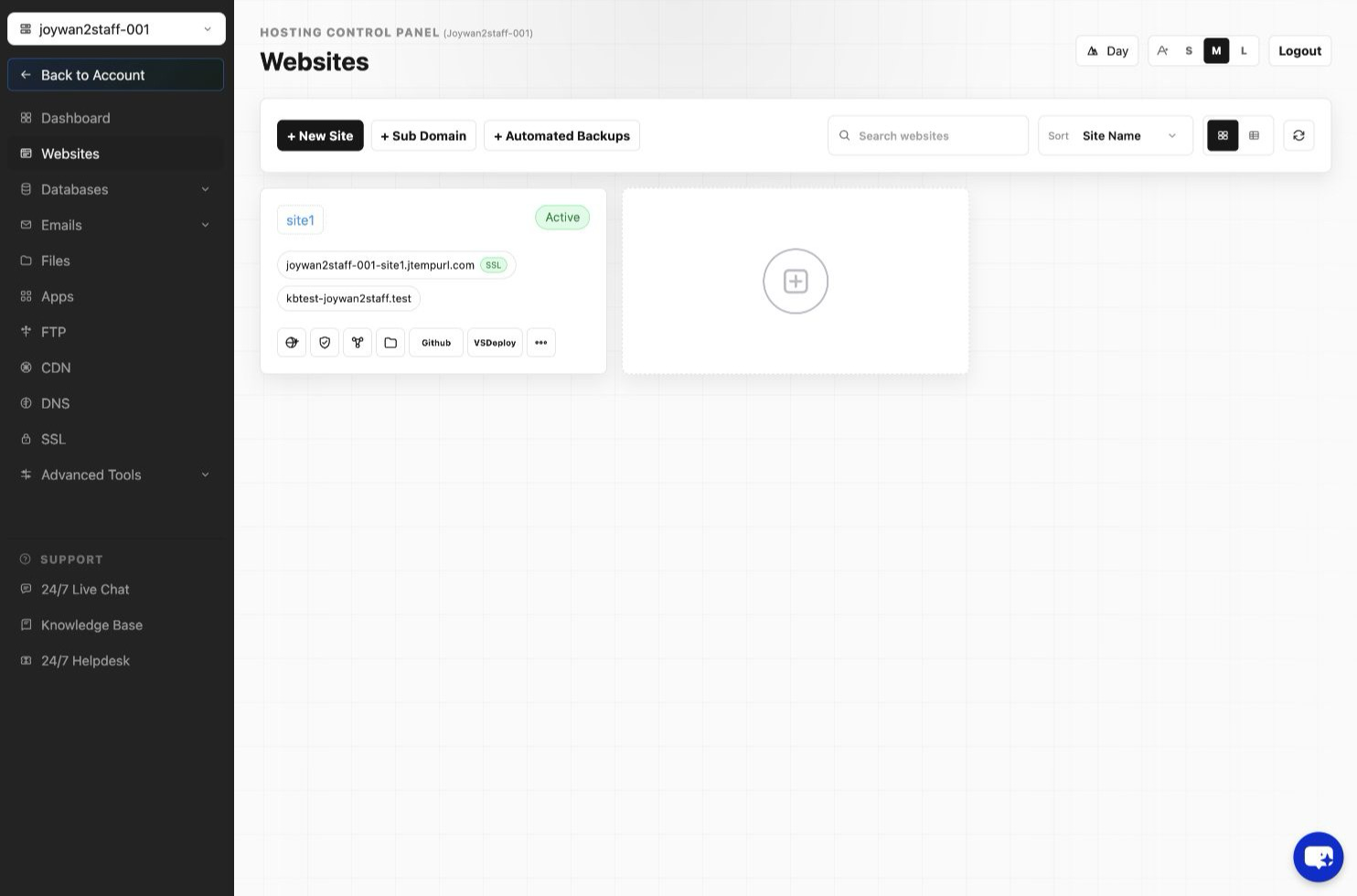
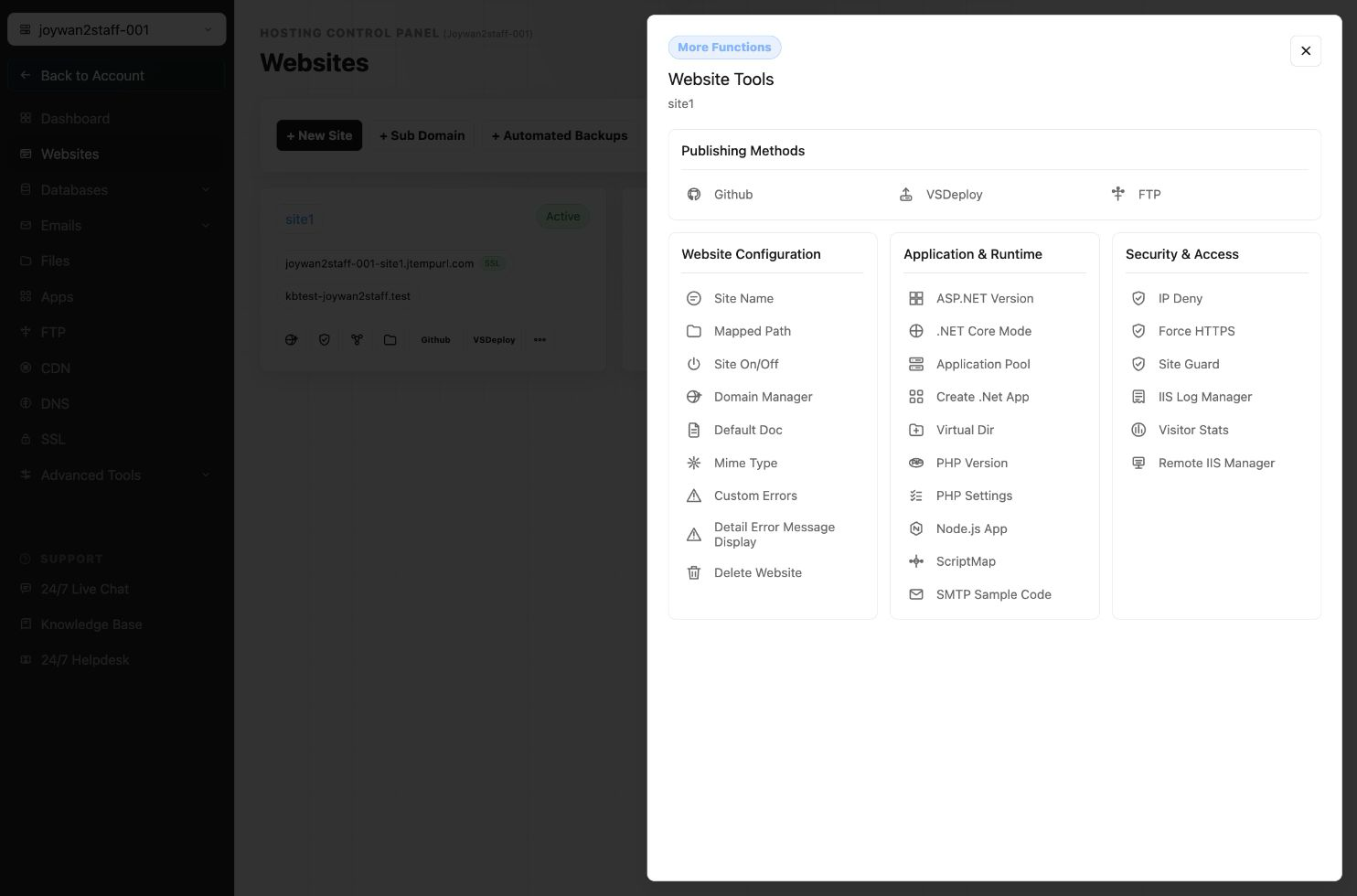
You can enable or disable Remote IIS function from your Hosting Control Panel > WEBSITES > Manage Website > Remote IIS Manager.
Also you can click Fix ACL if you get permission issue while remote connecting IIS.
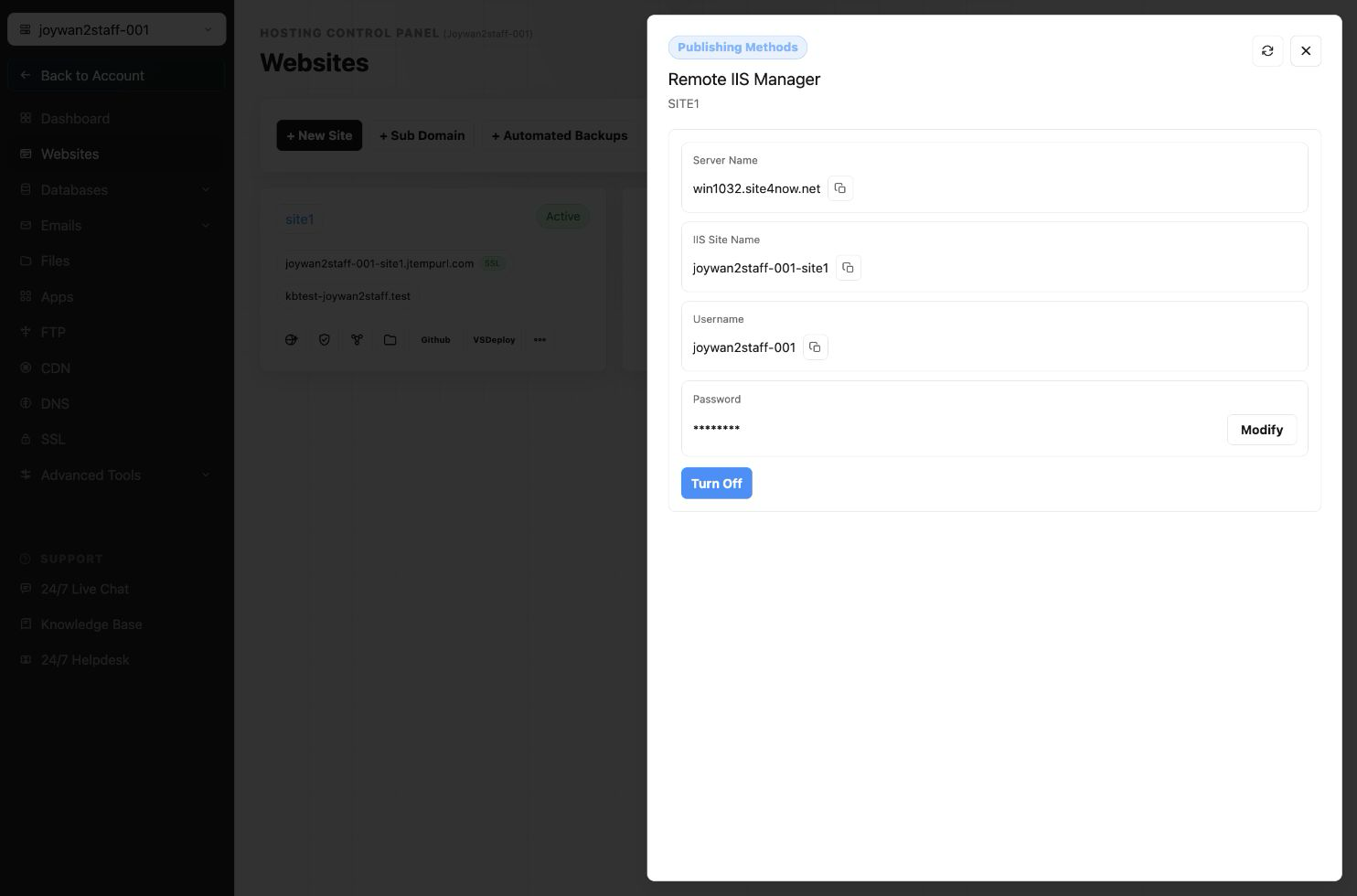
Once you turn it on, you can see the below popup with credentials.
Article ID: 2380, Created: August 2 at 7:29 AM, Modified: August 4 at 2:26 AM