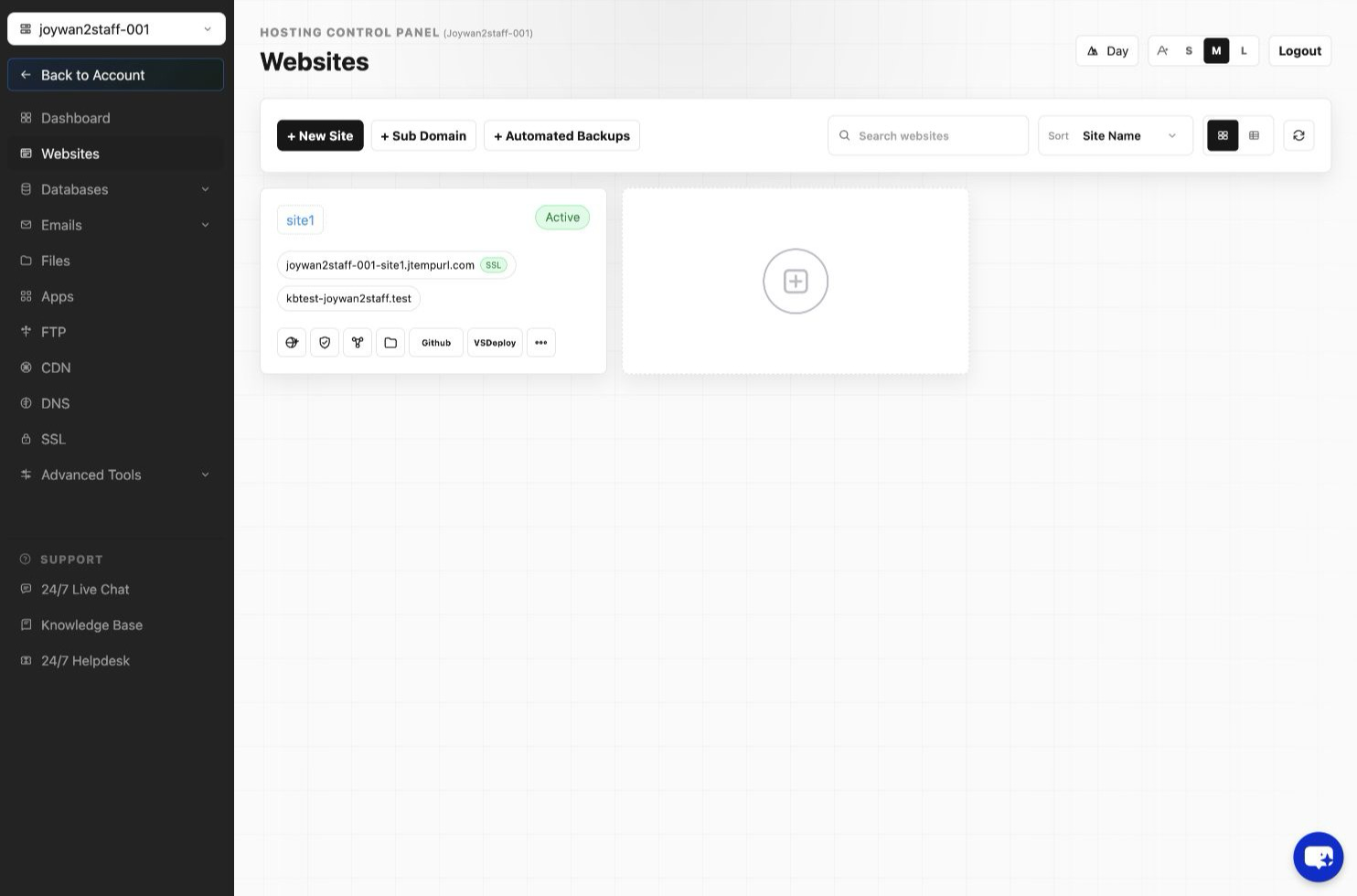
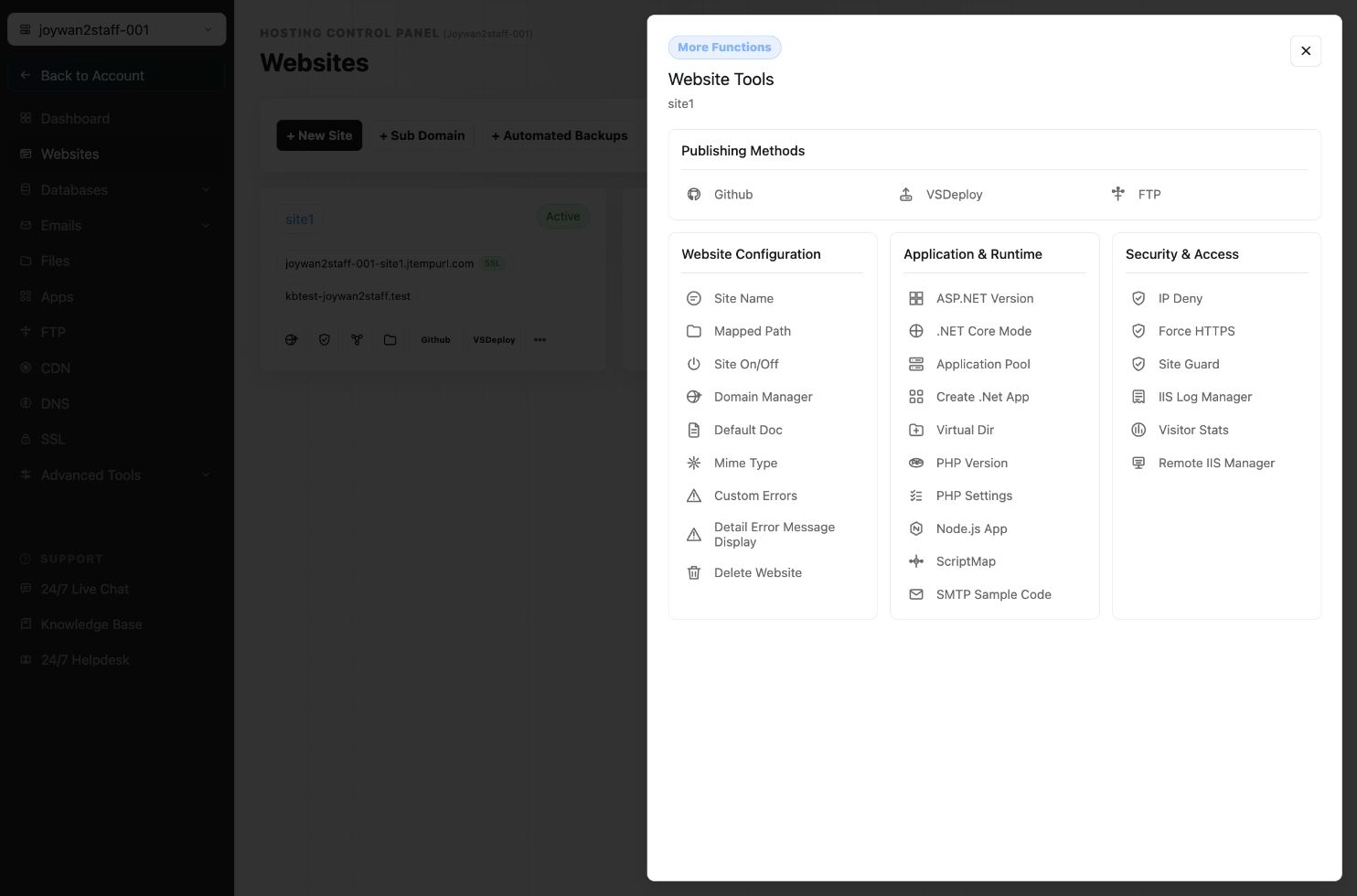
You can set the virtual directory directly from your Hosting Control Panel > Websites > Manage Website > Create Virtual Dir;
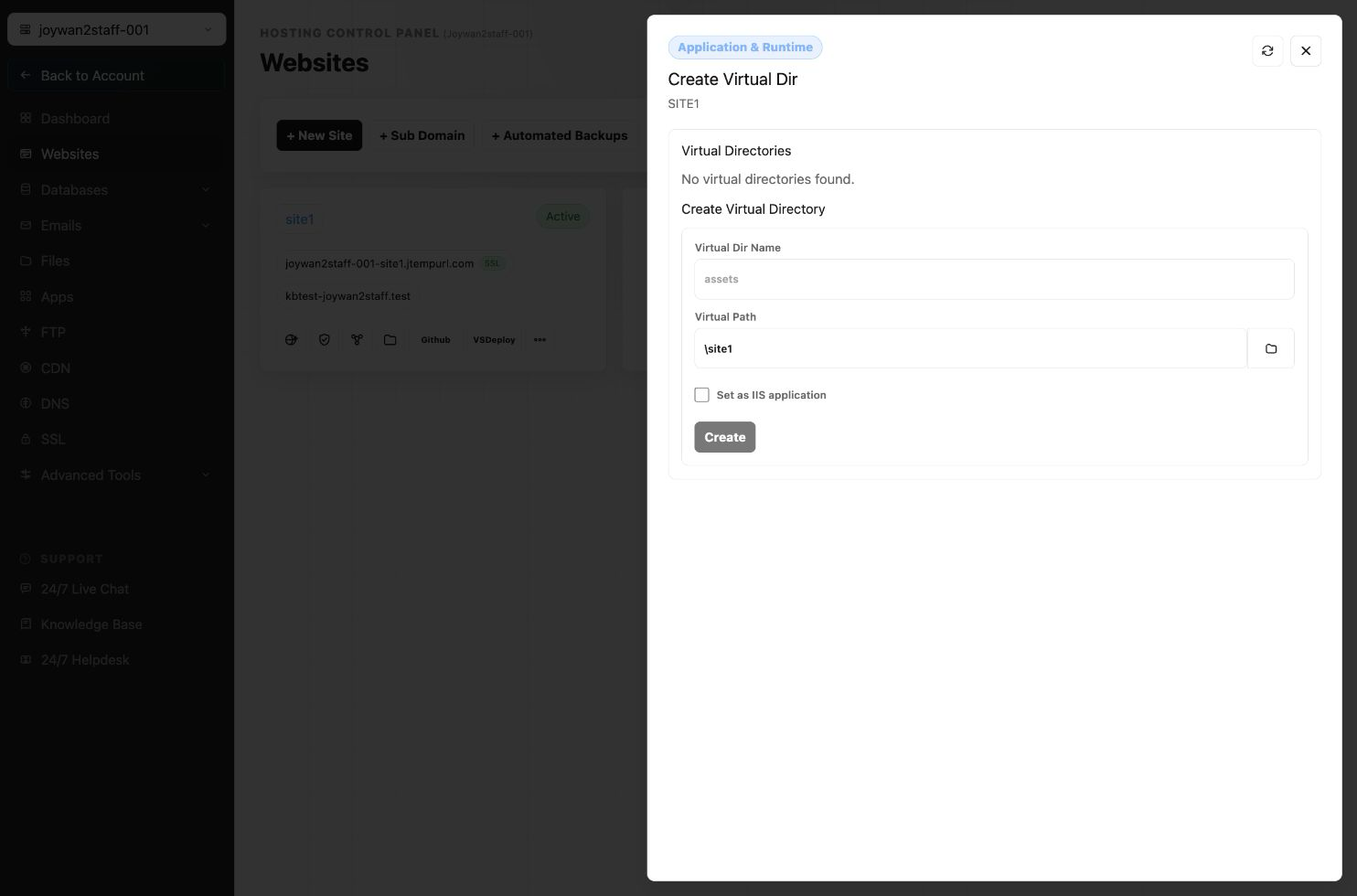
Simply name the virtual directory and set the target folder as your virtual directory path and then click Create button.
Article ID: 2384, Created: August 2 at 7:29 AM, Modified: August 4 at 2:28 AM