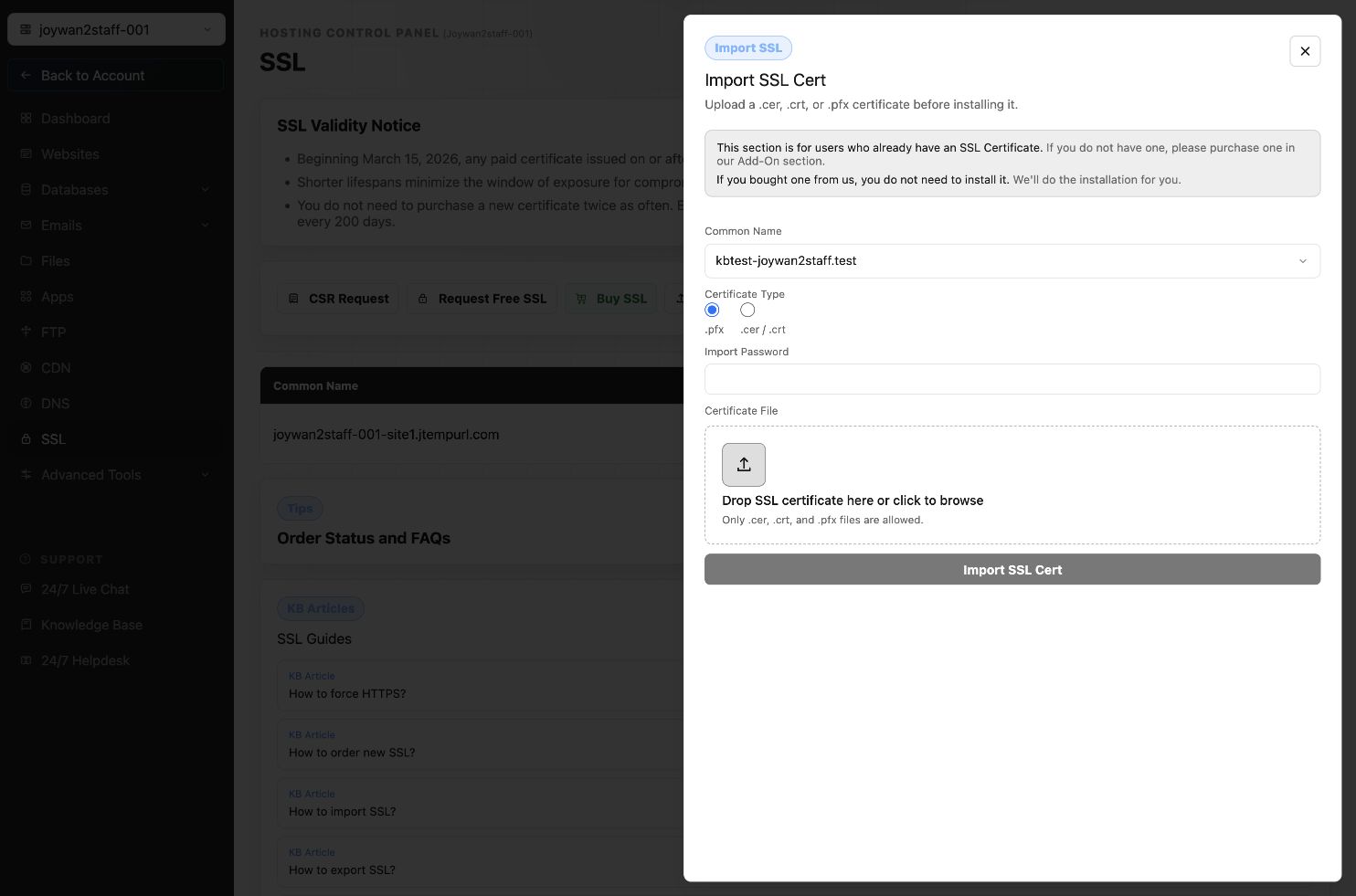
Sometimes, you may have obtained an SSL certificate from other providers. Thus you need to import your SSL to your website on our end. Please refer to the below instructions:
1> Case one: You have your SSL.pfx file and its password. Then you can import it to your site via your Control Panel > SSL, click "Import Existing SSL Cert"
2> Case two: Your SSL provider does not provide a.pfx file but provides a.cer or.crt file instead. In such case, you will need to follow these steps so you can get the SSL file imported successfully.
- Generate CSR from us, please go to your Hosting Control Panel > SSL, select the "Generate CSR" button, and submit the form with the requested information, our system would generate the CSR automatically.
Common name:
Organization:
Organizational Unit:
City/Locality:
State/Province:
Country/region:
Important notice on Common Names:
For https://www.yourDomain.com, the common name is: www.yourDomain.com
For https://yourDomain.com, the common name is: yourDomain.com
For https://secure.yourDomain.com, the common name is: secure.yourDomain.com
For Wildcard SSL, the common name is: *.yourDomain.com
- Contact your current SSL provider to re-issue your SSL with the new CSR file you get from our system.
- After you get the new.cer/.crt file, you can Go to Control Panel > SSL to import it to your site.
Article ID: 2388, Created: August 2 at 7:29 AM, Modified: August 4 at 2:27 AM