Follow these steps to restore an MSSQL backup to an existing database.
- Create or obtain a compatible
.bak backup file.
- Open Databases > MSSQL.
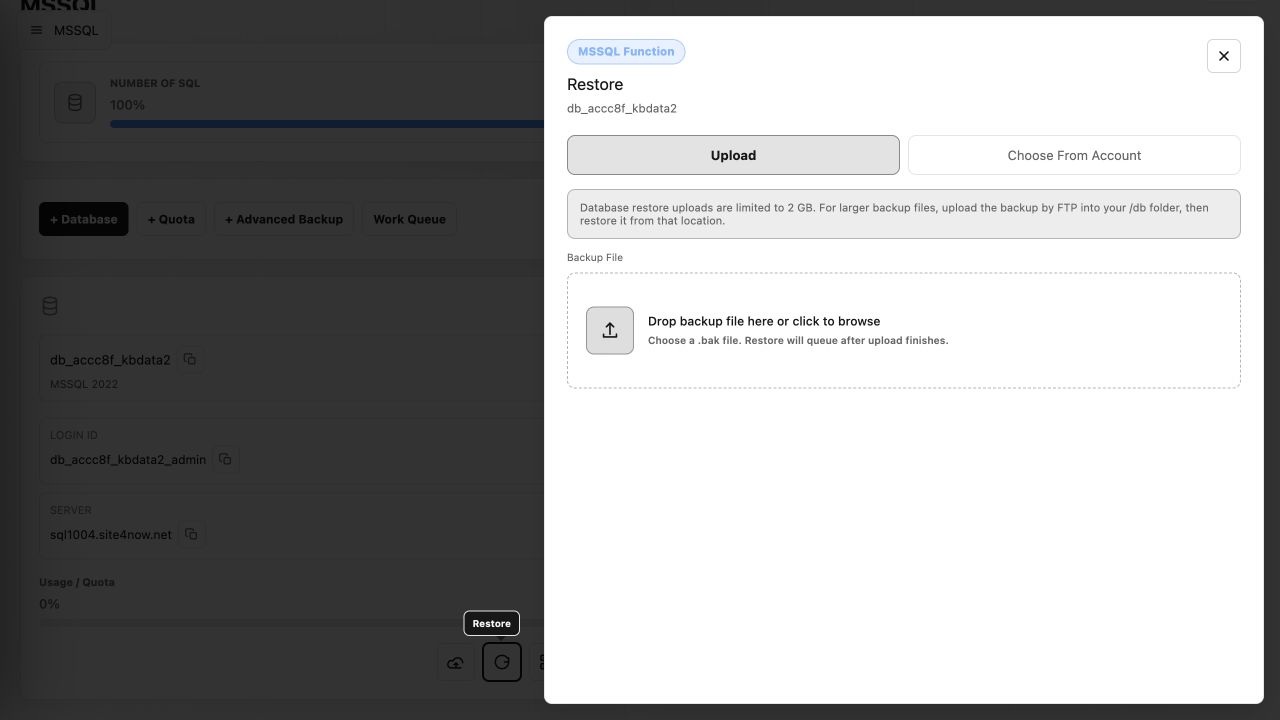
- Locate the target database and select Restore.
- Upload a backup file of up to 2 GB, or select Choose From Account to use a file already uploaded to the account.
- Submit the restore and monitor the work queue until it completes.
For files larger than 2 GB, upload the backup to the account's /db folder by FTP, then restore it from that location. A very old SQL Server backup may need to be upgraded through an intermediate SQL Server version before it can be restored to the current server.
Article ID: 2398, Created: August 2 at 7:29 AM, Modified: August 4 at 2:26 AM