Custom error pages let visitors see a friendly message instead of detailed server-error information.
- Upload the custom error page to the website.
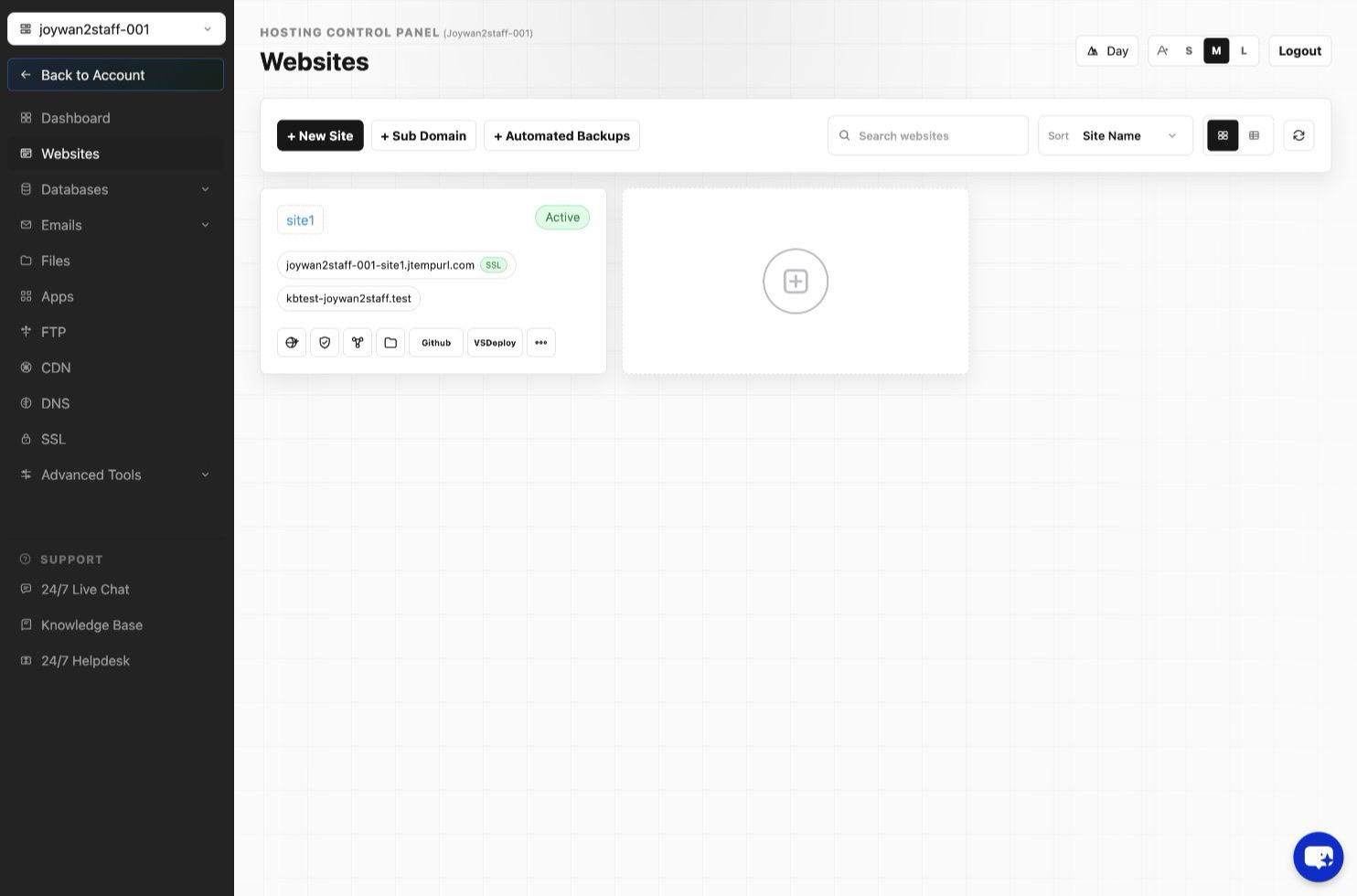
- Sign in to the Hosting Control Panel and open Websites.
- Locate the website, select More Functions, and open Custom Errors.
- Add or edit the required HTTP status code, select the custom error page, and save the change.
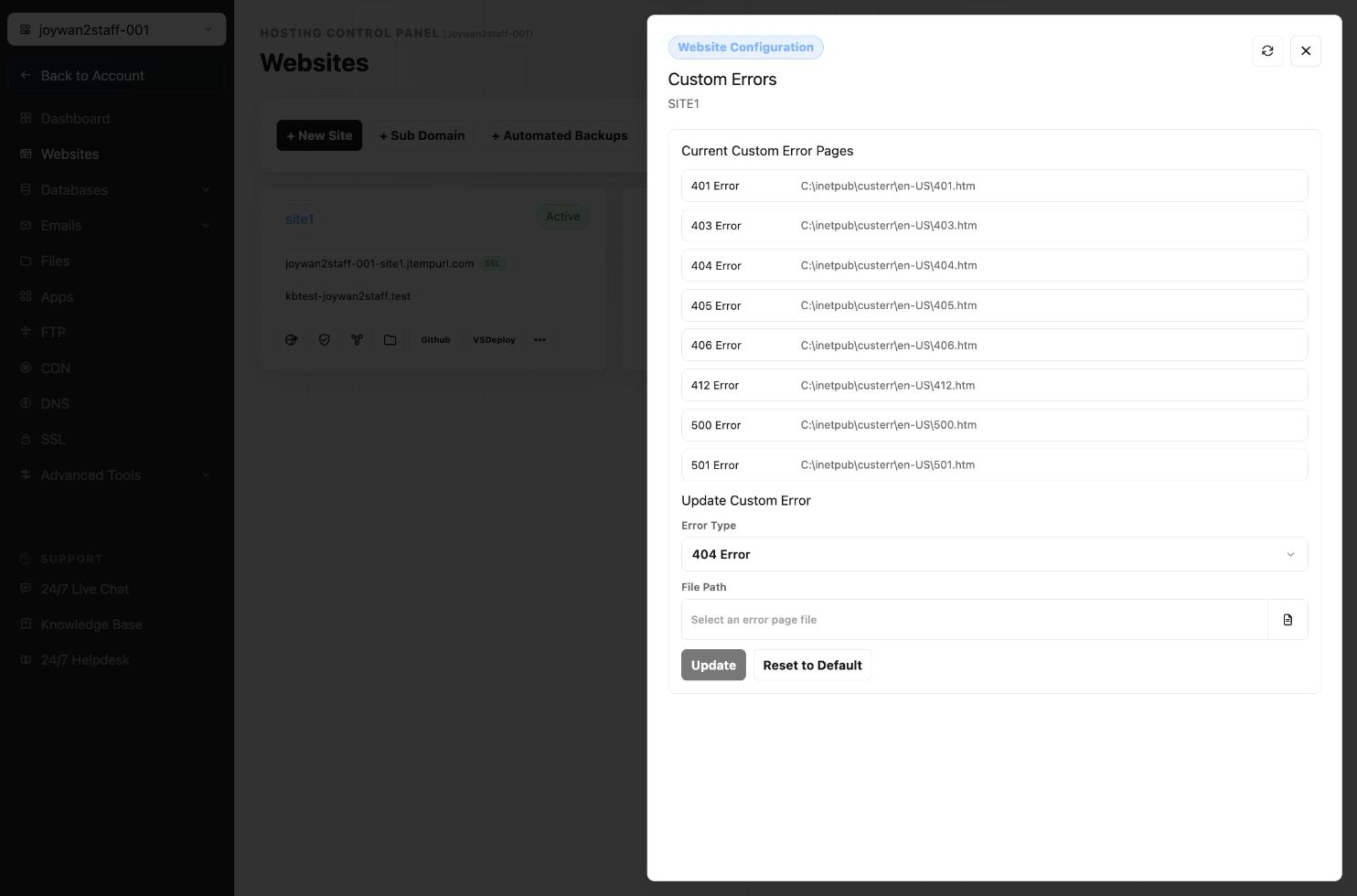
Test the relevant error condition after saving to confirm that the custom page appears.
Article ID: 2415, Created: August 2 at 7:30 AM, Modified: August 4 at 2:26 AM