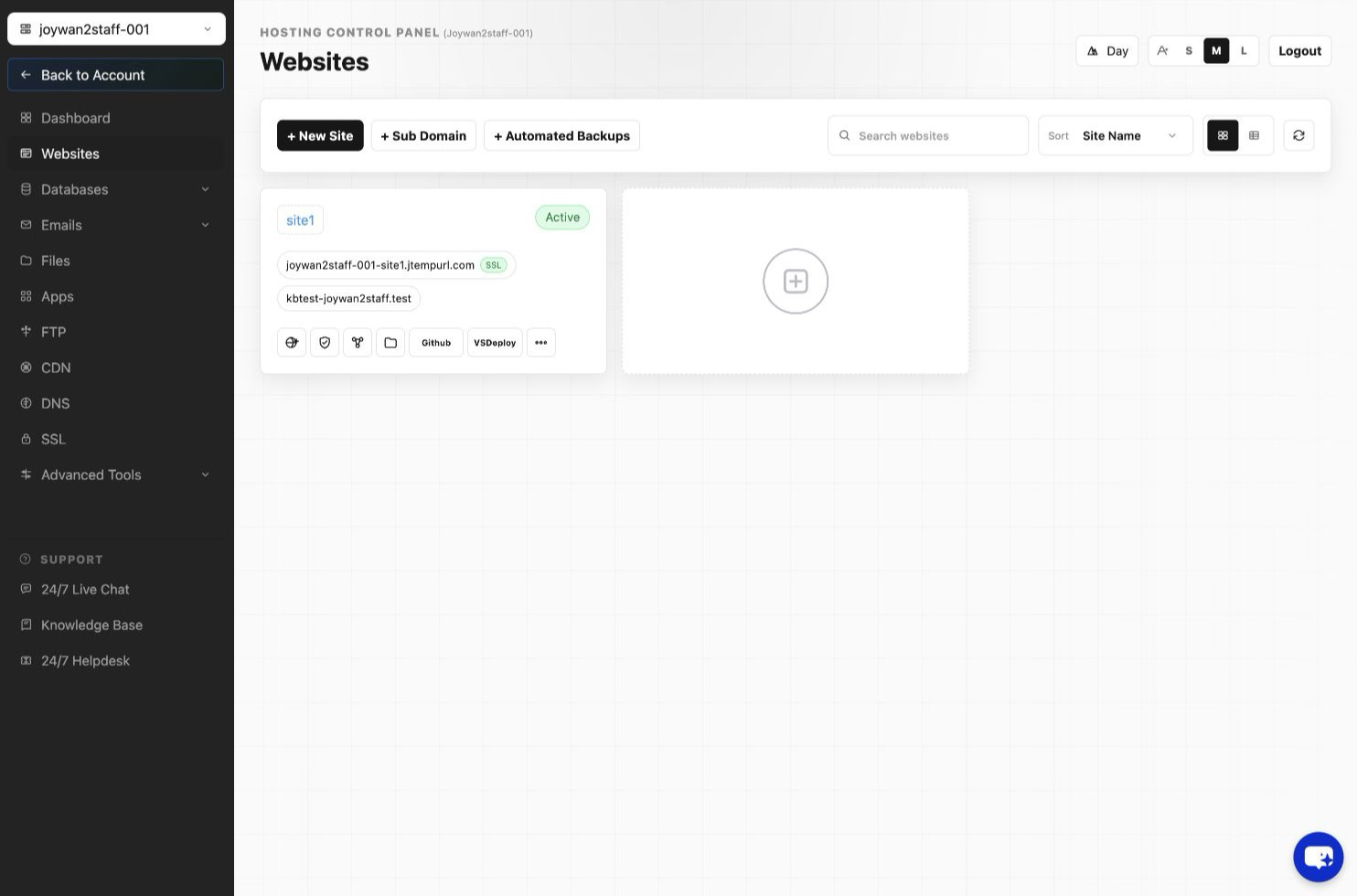
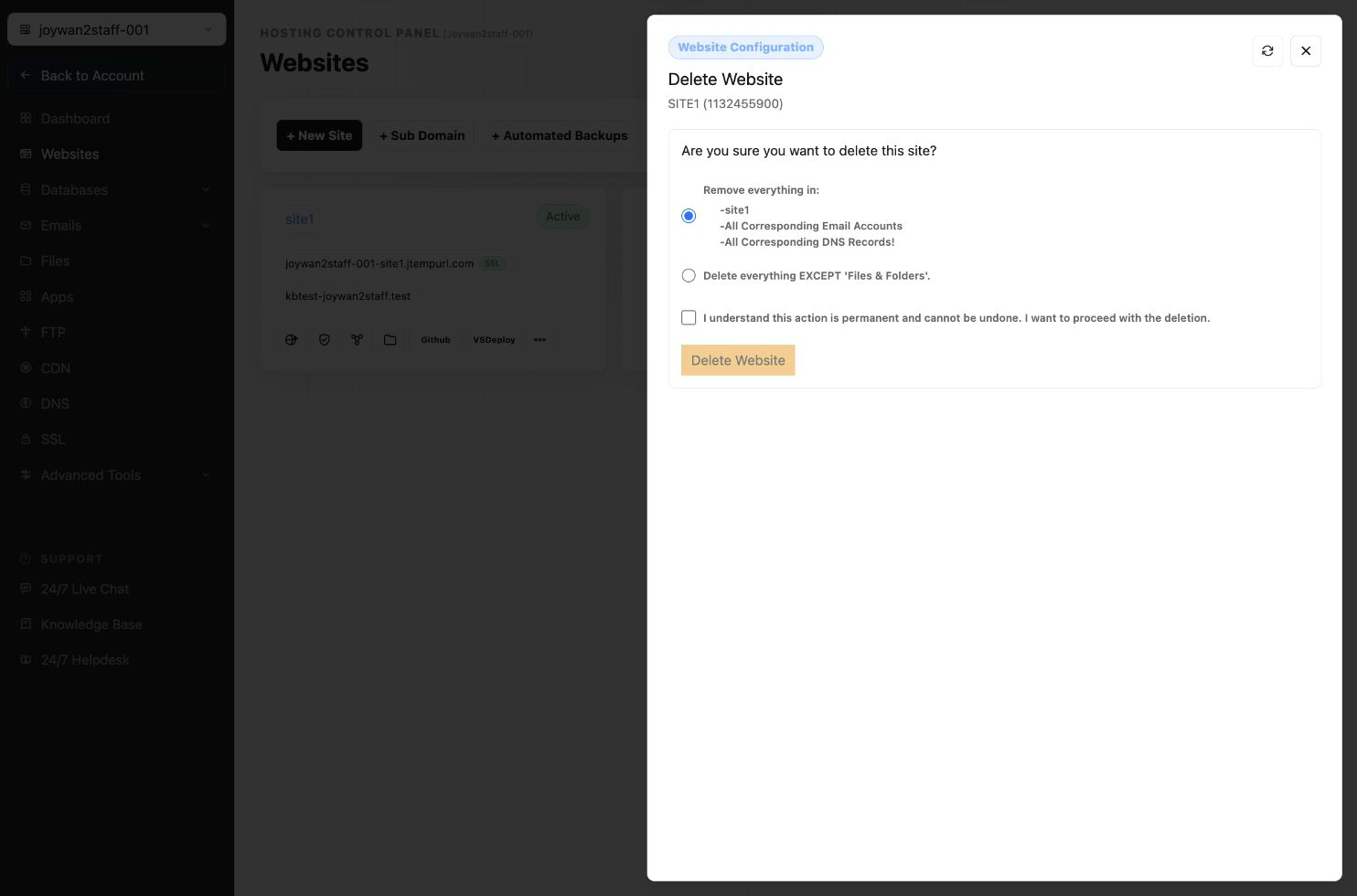
You can sign in to your Hosting Control Panel > WEBSITES > Find the target site and click "Manage Websites" > Then click 'Delete Website' button:
In this way, you can remove the whole website, including the site folder, related database and your email service.
Article ID: 2425, Created: August 2 at 7:30 AM, Modified: August 4 at 2:28 AM