Use mailbox forwarding to send incoming messages to one or more destination addresses.
- Open Emails.
- Locate the email domain and select Email Users.
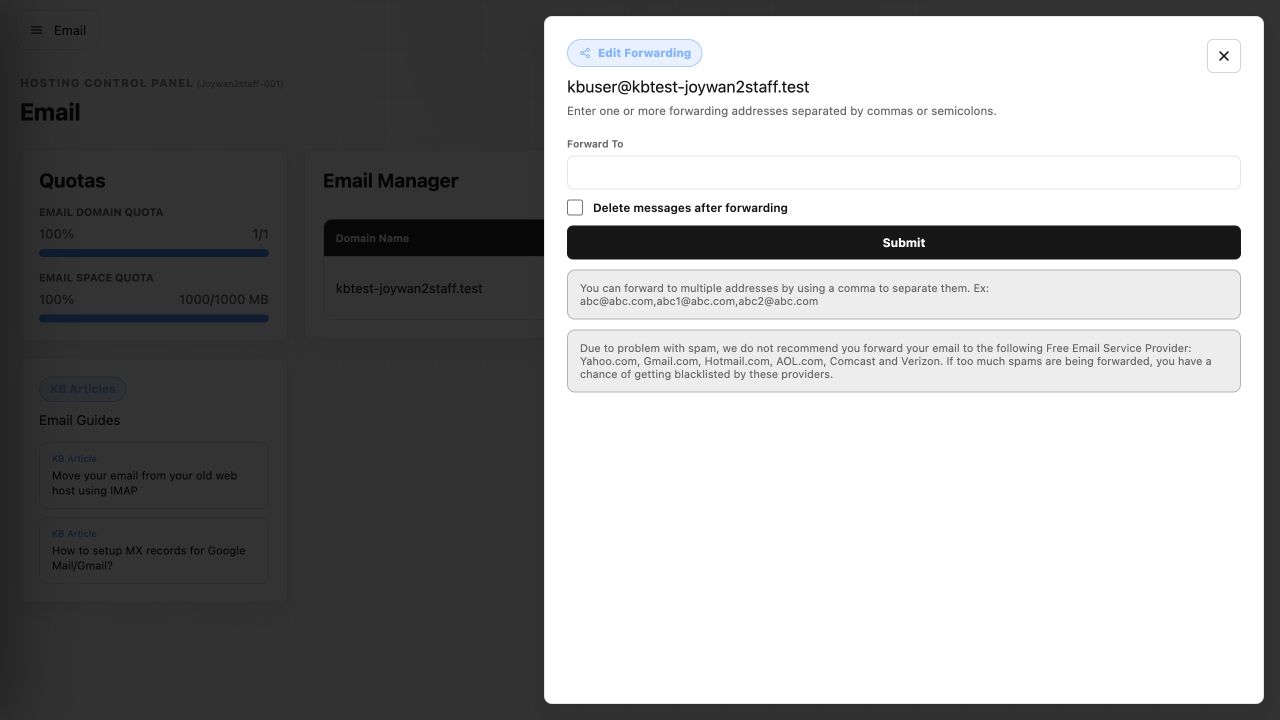
- Find the mailbox and select Edit Forwarding.
- Enter the destination address or addresses, separated by commas or semicolons.
- Choose whether messages should be deleted after forwarding, then select Submit.
Send a test message after saving to confirm that forwarding works as expected.
Article ID: 2462, Created: August 2 at 8:58 AM, Modified: August 4 at 2:27 AM