SQL Reporting Service is an add-on that must be enabled for the hosting account.
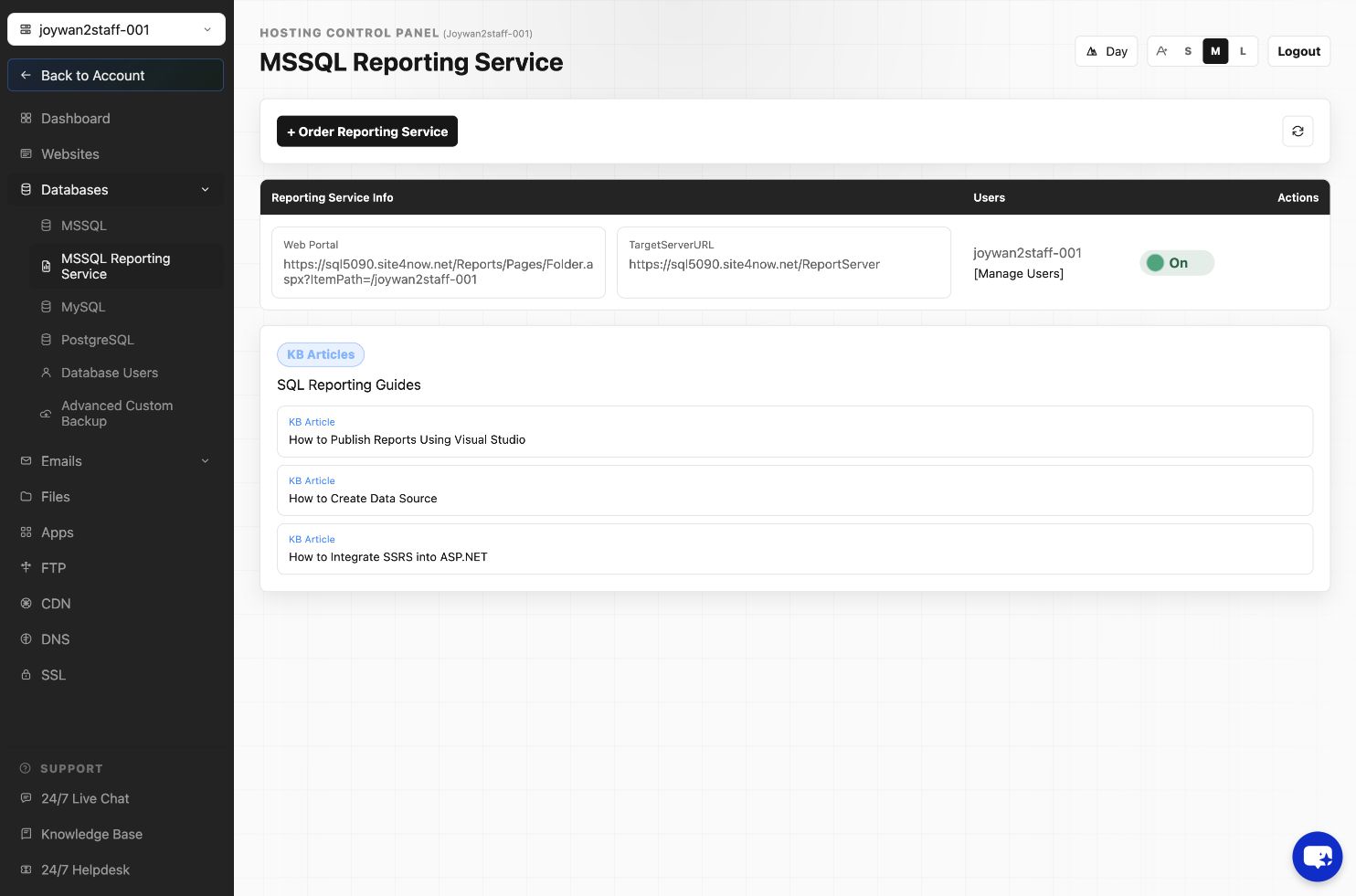
- Open Databases > SQL Reporting in the Hosting Control Panel.
- If the service is off, select the available enable action and wait for provisioning to complete.
- Use the displayed server URL, web portal URL, folder, username, and password when connecting from Report Builder or a browser.
- Publish reports only to the folder assigned to your hosting account.
Do not copy server names or folder paths from another account because reporting endpoints can differ.
Article ID: 2466, Created: August 2 at 8:59 AM, Modified: August 4 at 2:28 AM