Follow these steps to publish a Blazor application from Visual Studio by using Web Deploy.
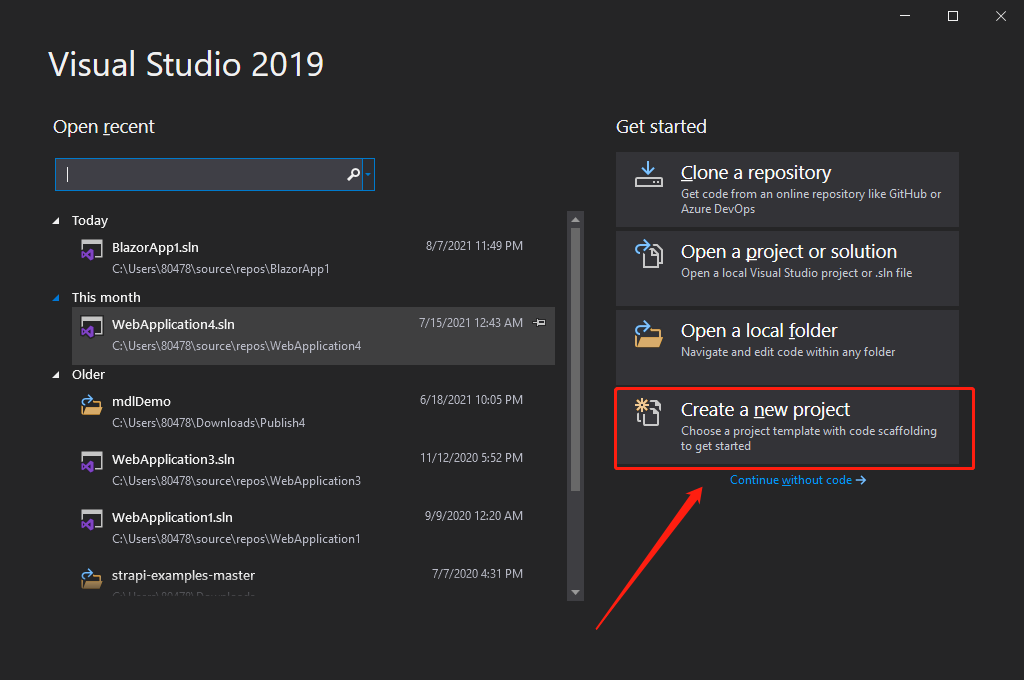
- Open Visual Studio and select Create a new project.
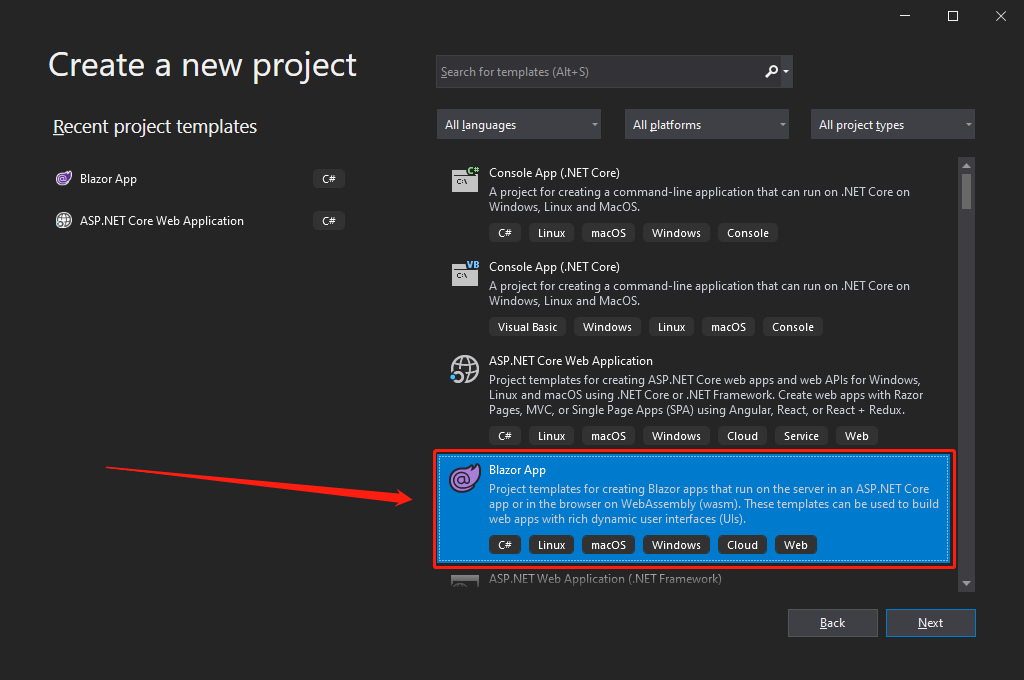
- Select the appropriate Blazor project template, then select Next.
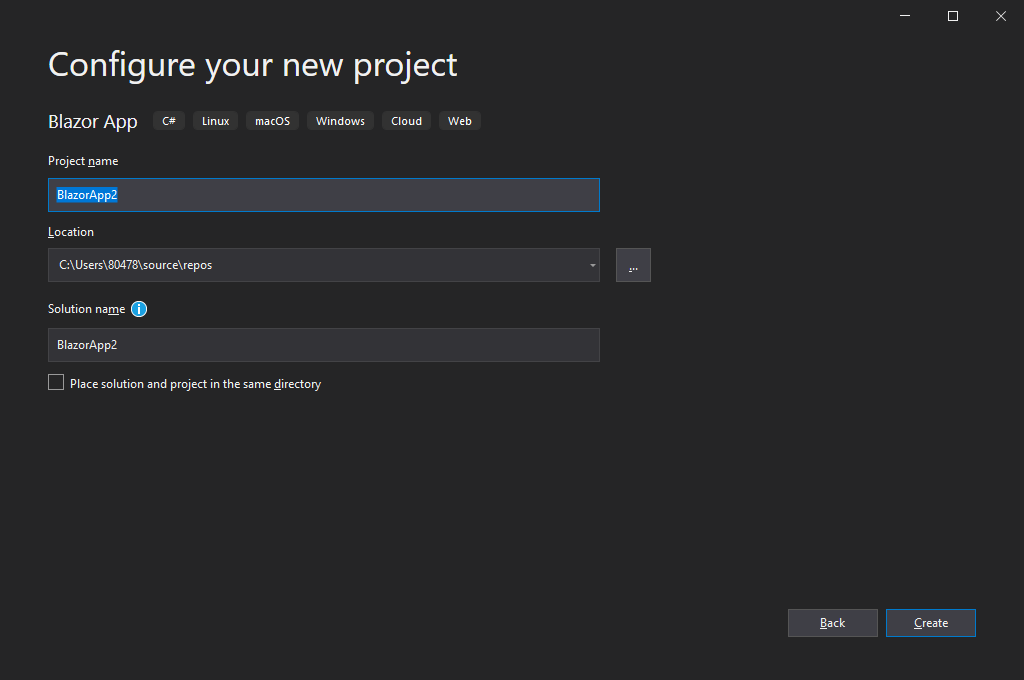
- Enter the project name and location.
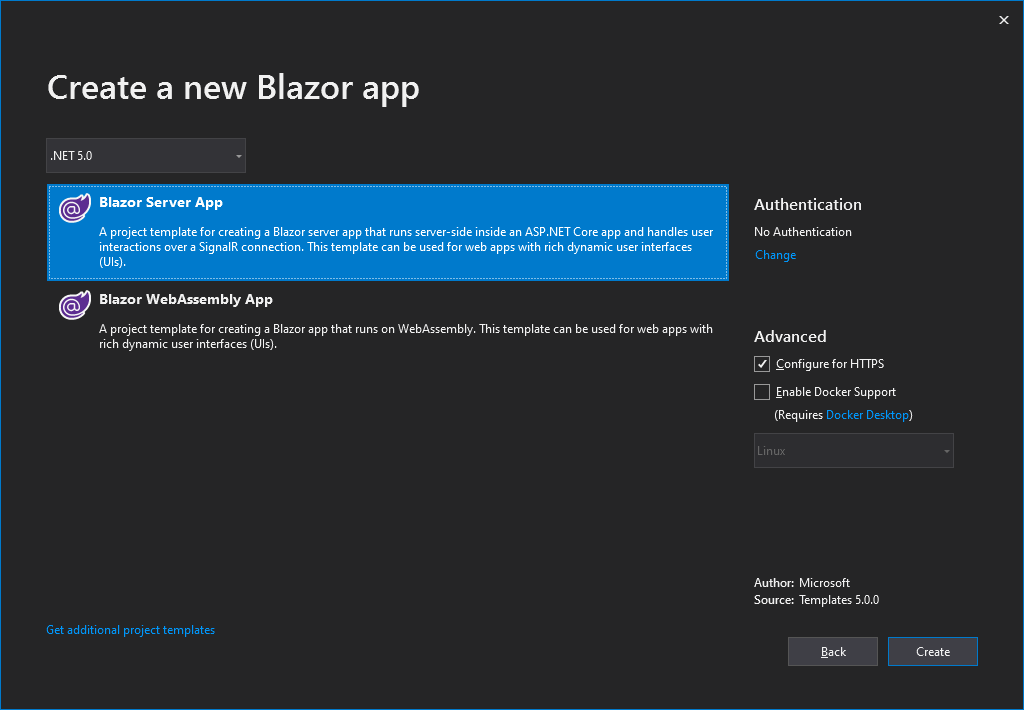
- Select the required .NET version and Blazor application type, then create the project.
- In Solution Explorer, right-click the project and select Publish.
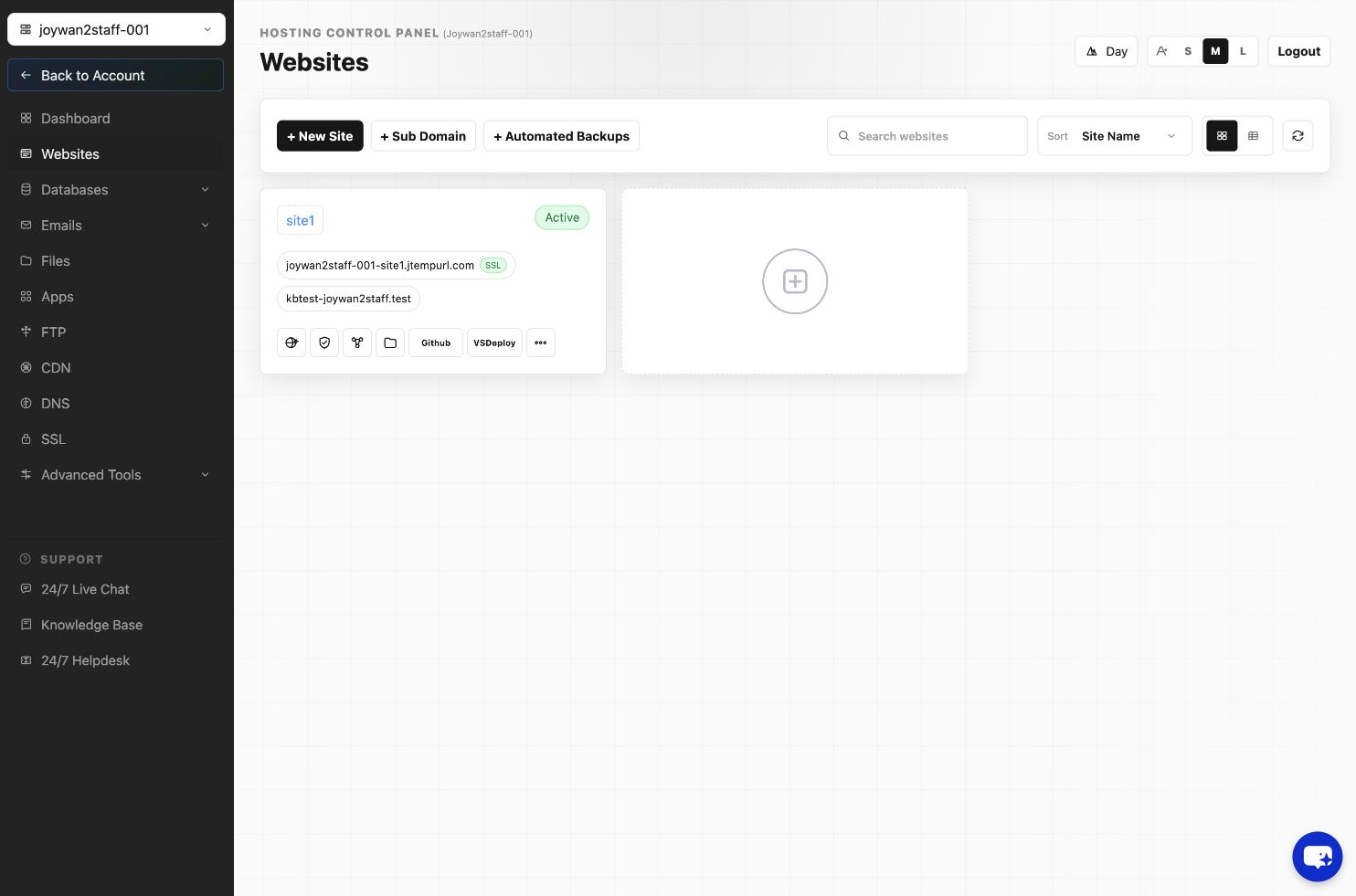
- Download the Web Deploy publishing profile from the Hosting Control Panel.
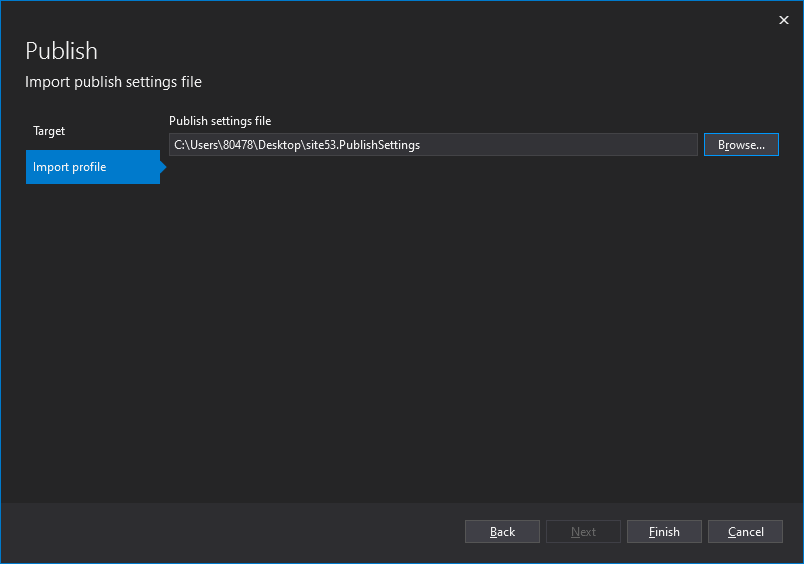
- Import the publishing profile into Visual Studio.
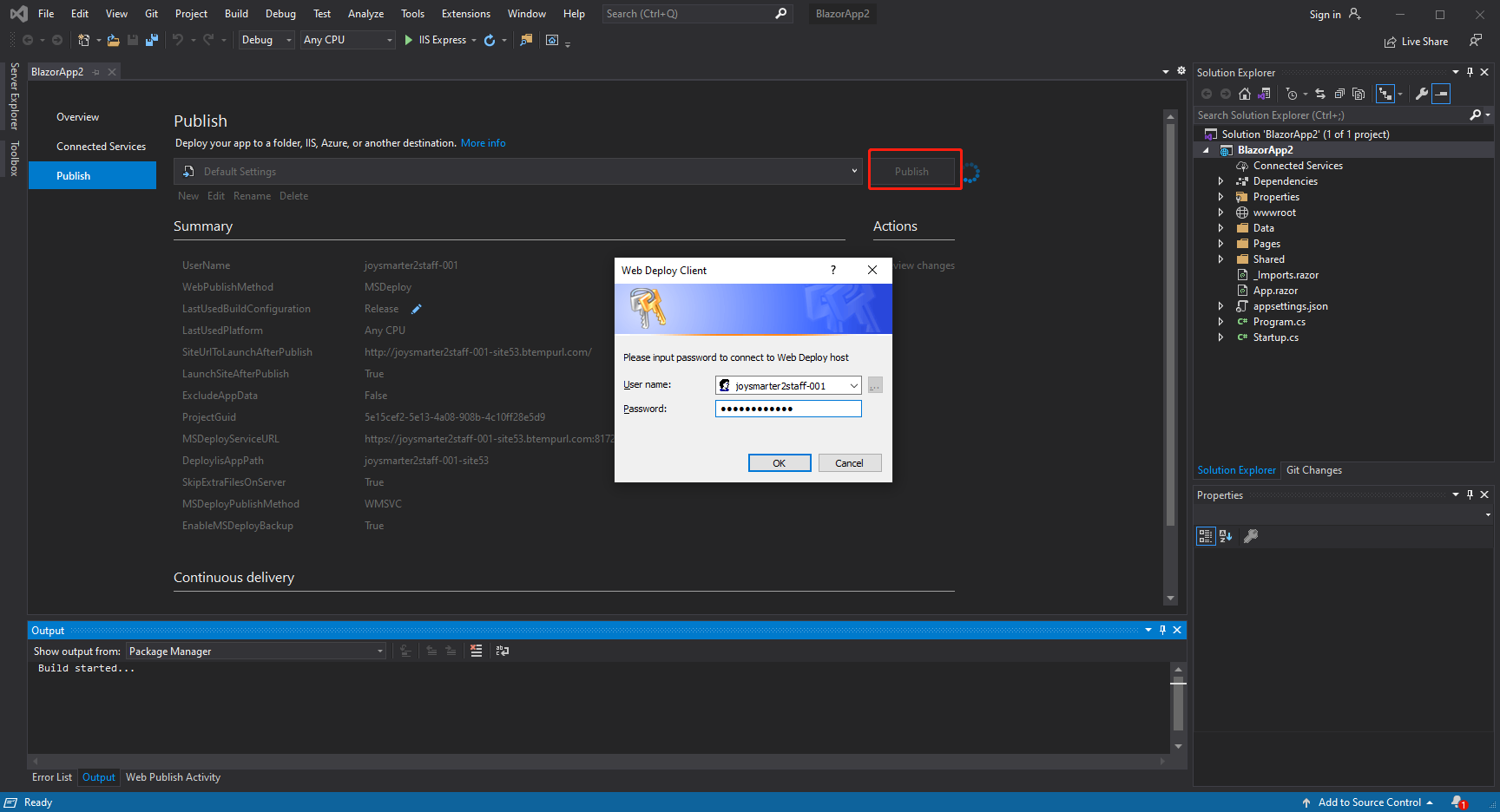
- Enter the Web Deploy password shown or configured in the Hosting Control Panel.
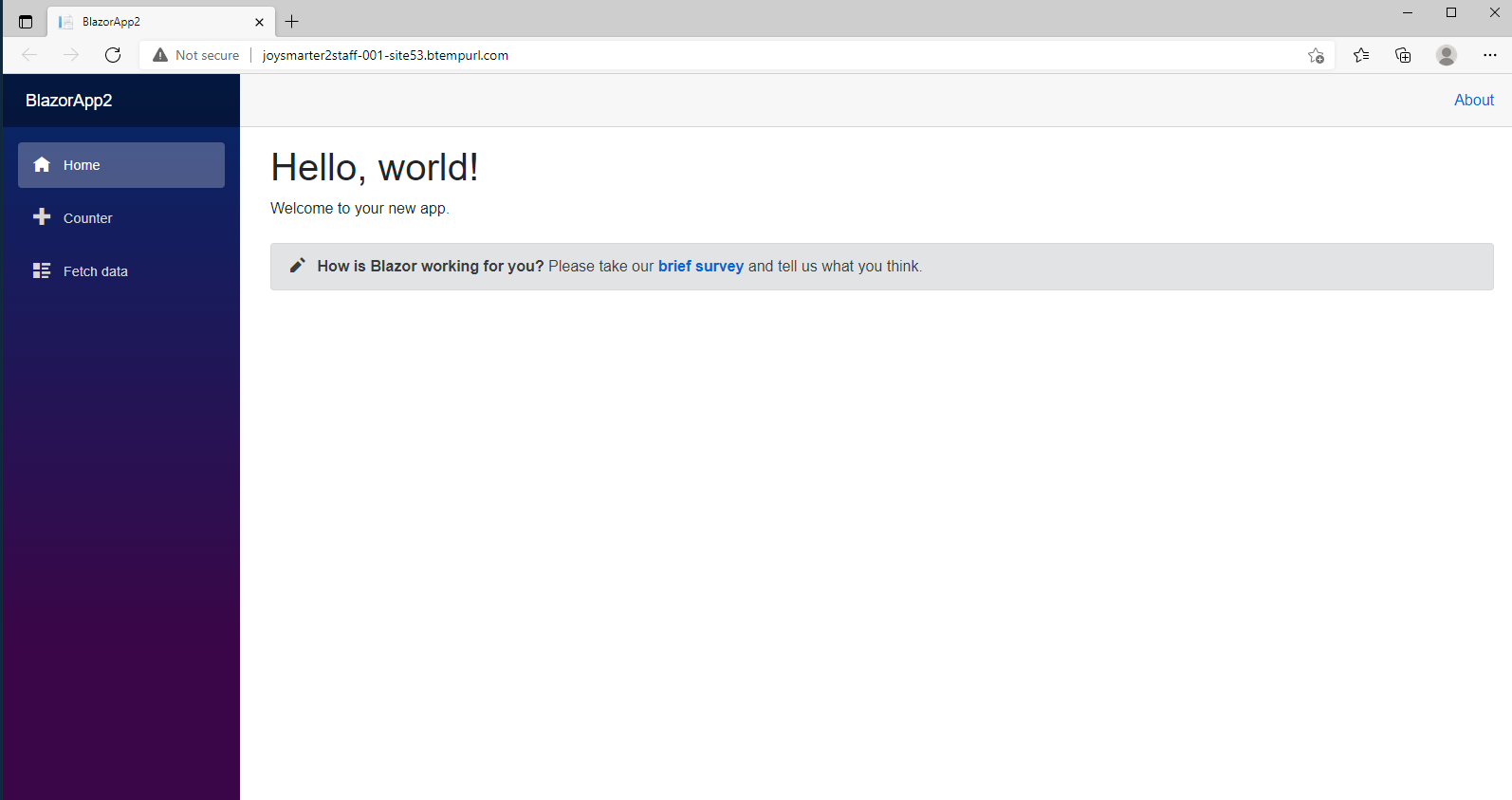
- Publish the project and open the website to confirm that it works.
Article ID: 2469, Created: August 2 at 9:00 AM, Modified: August 4 at 2:33 AM