Use the mail-server hostname shown under Emails > Mail Server Info. Do not use the website's IP address.
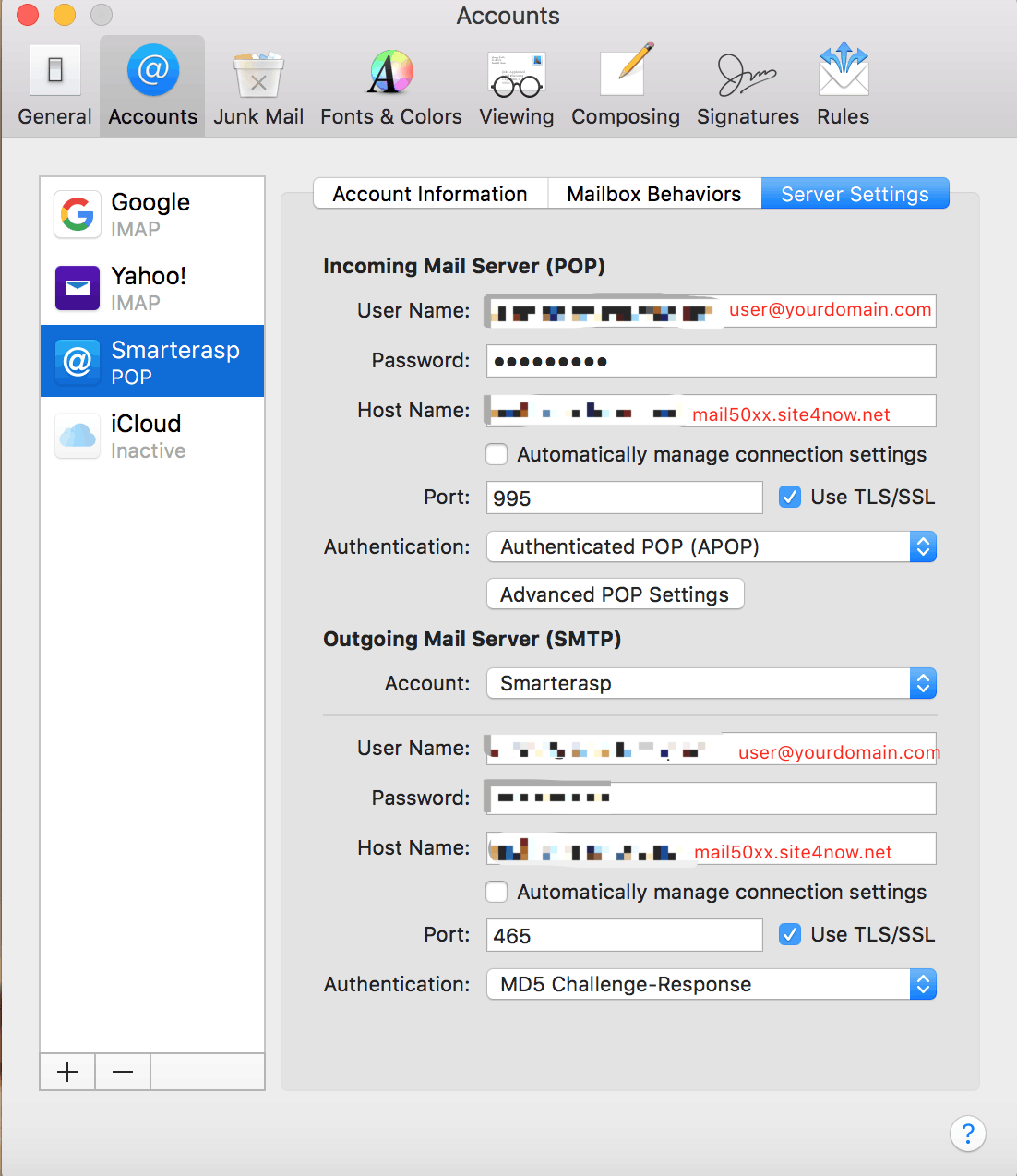
- In Apple Mail, open Mail > Settings (or Preferences) > Accounts.
- Select the account, then open Server Settings.

Incoming server
- Username: the complete email address
- Password: the mailbox password
- Hostname: the mail-server hostname shown in the Control Panel
- IMAP with TLS/SSL: port 993
- POP3 with TLS/SSL: port 995
Outgoing server
- Enable authentication and use the complete email address and mailbox password.
- Use TLS/SSL with port 465 or STARTTLS with port 587.
Save the settings and send a test message. If two-step authentication is enabled in SmarterMail, use its generated app password.
Article ID: 2470, Created: August 2 at 9:01 AM, Modified: August 4 at 2:23 AM