- Install Microsoft Report Builder from the official Microsoft download page.
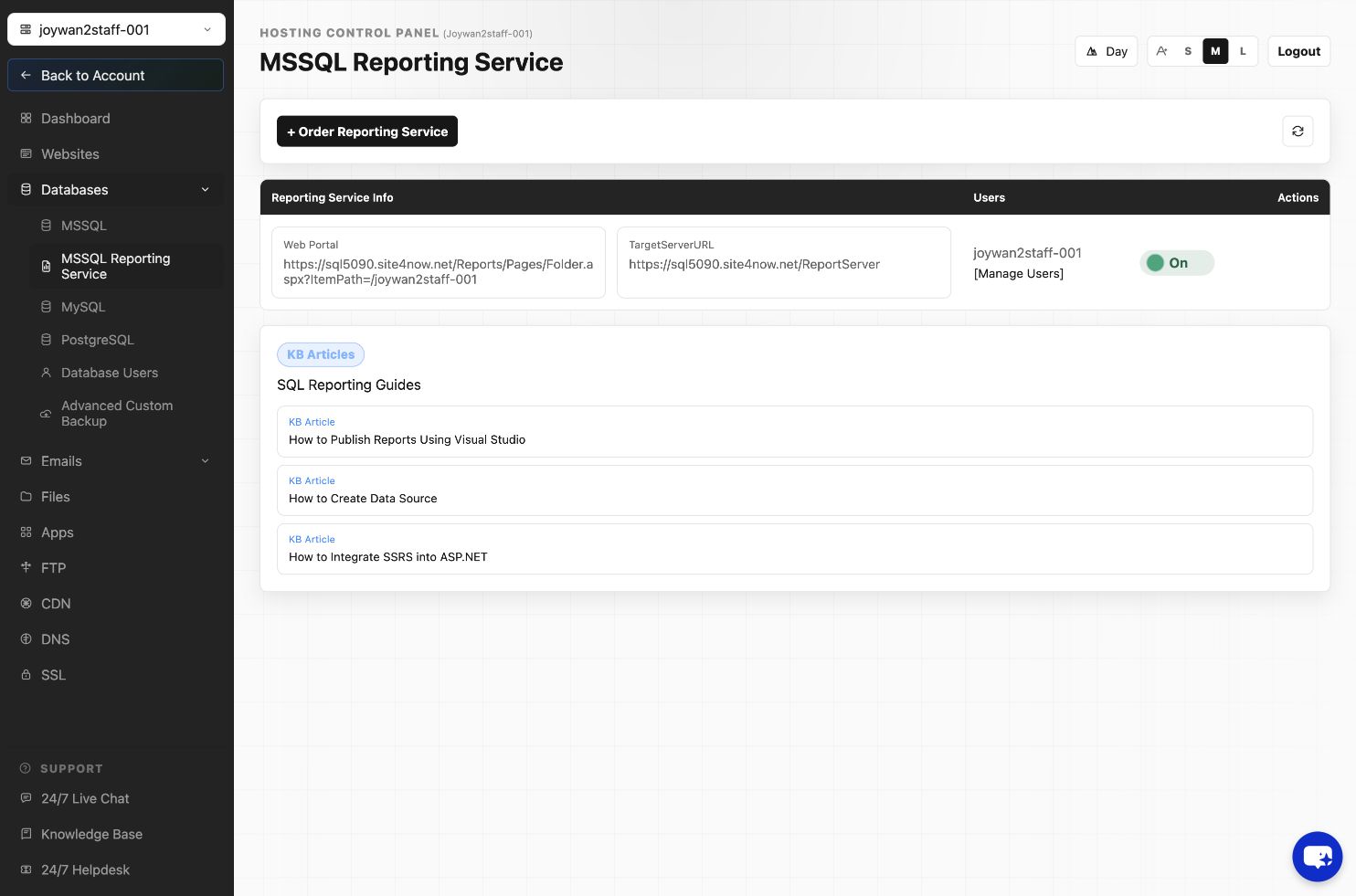
- Open SQL Reporting in the Hosting Control Panel and copy the server URL, web portal URL, assigned folder, and reporting credentials.
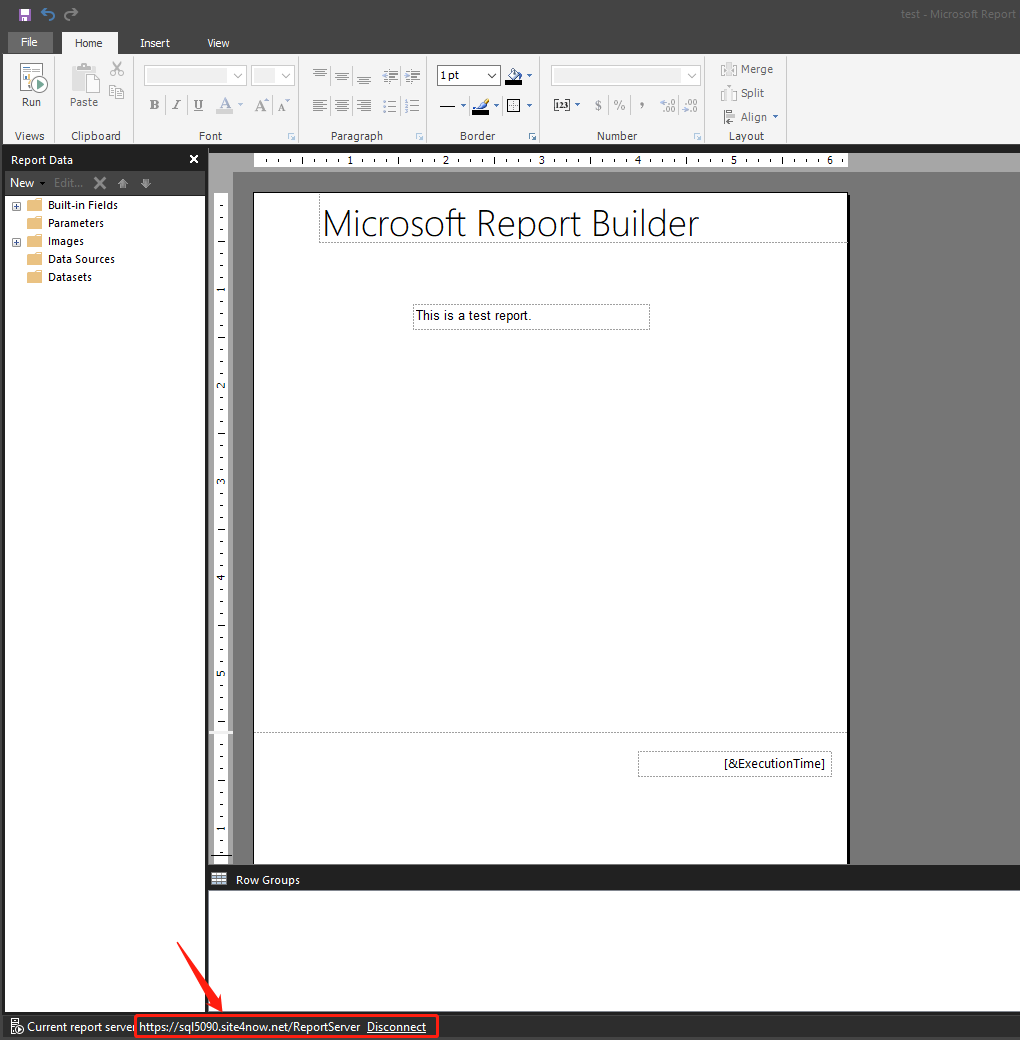
- Open Report Builder and create or open the report.
- Configure the report's data source with the appropriate database connection and credentials.
- Run the report locally and resolve any errors before publishing.
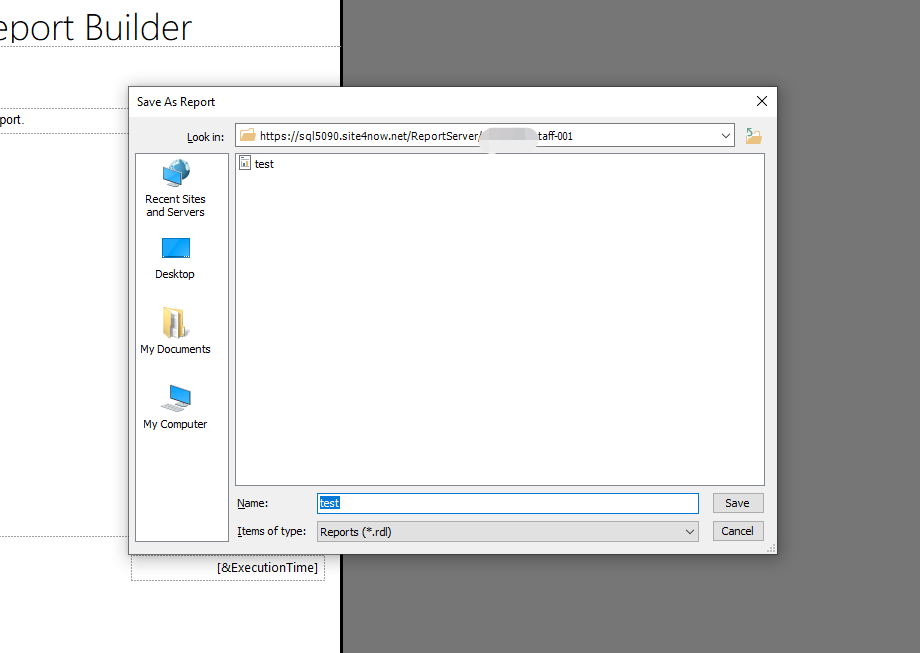
- Select File > Save As, connect to the server URL displayed in the Control Panel, and save the report inside the folder assigned to the hosting account.
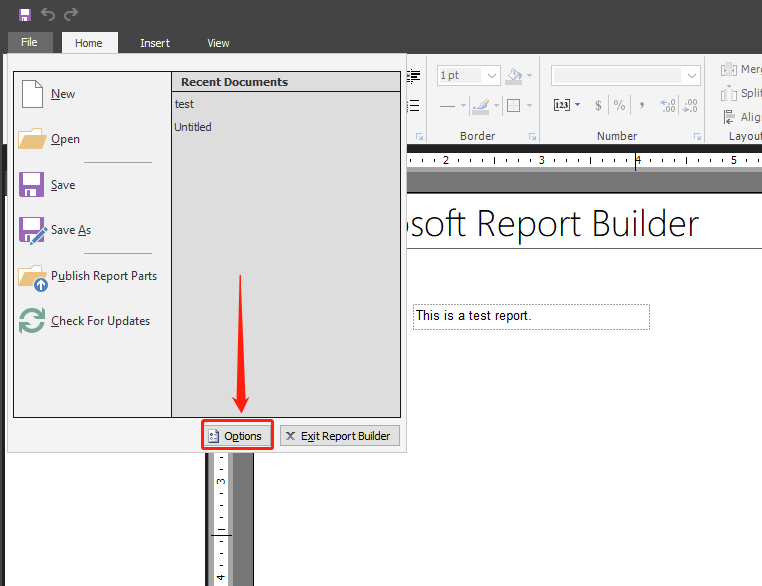
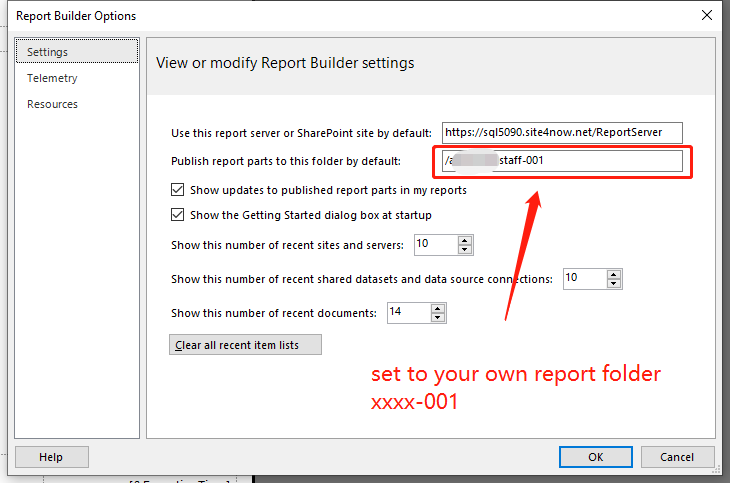
- If desired, configure the reporting server as the default target in Report Builder options.
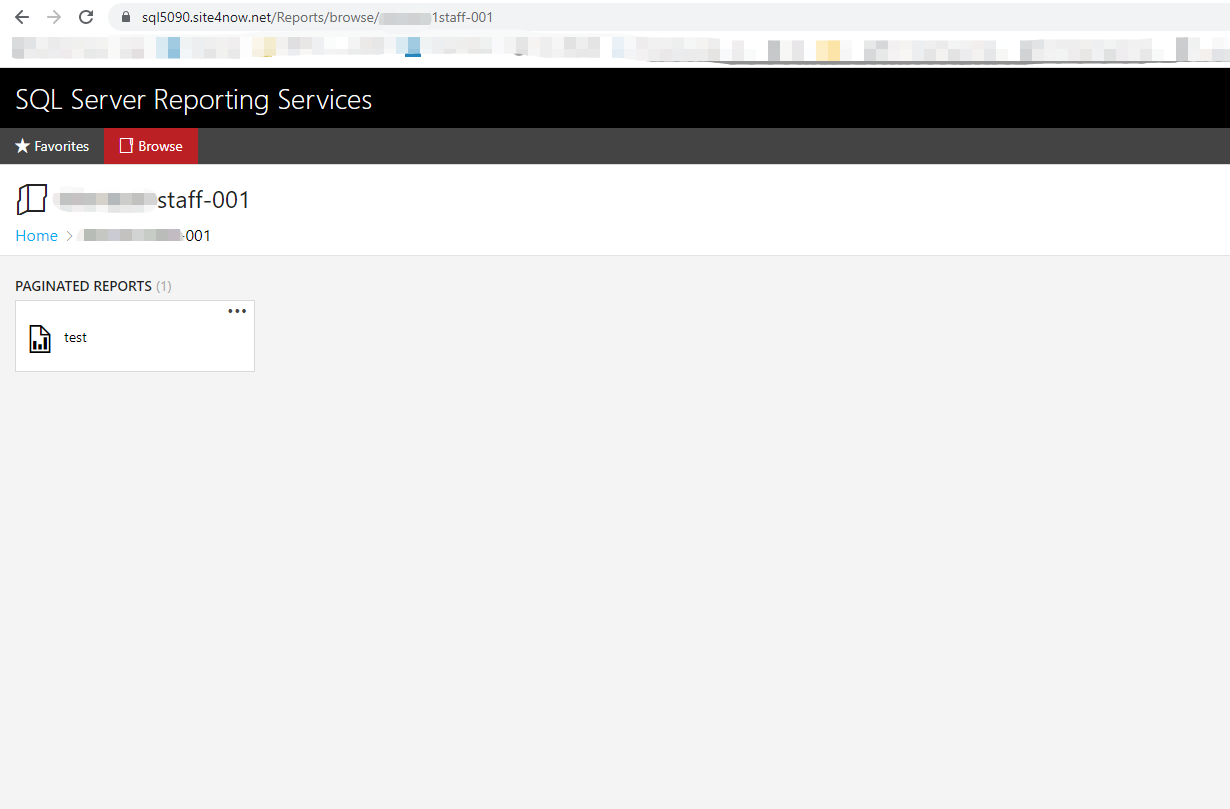
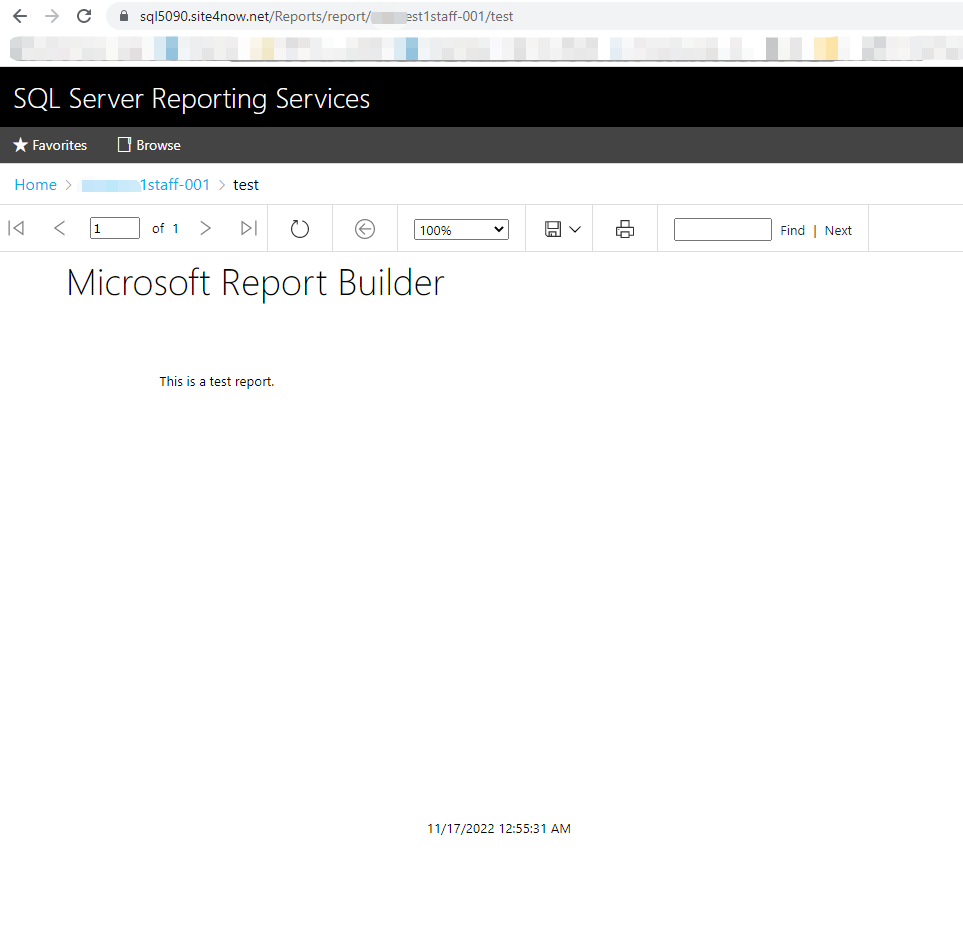
- Open the web portal URL displayed in the Control Panel and confirm that the report appears in the assigned folder.
Server names and folder paths can vary. Always use the values shown for the current hosting account.
Article ID: 2472, Created: August 2 at 9:02 AM, Modified: August 4 at 2:23 AM